


Synchronization of a PLC application and Web designer application using .XVM file
Issue
All changes in Unity PRO will require a synchronization between Unity and the WMY module. Synchronization can be accomplished by using the .stu file and .xvm file. In some case the synchronization using .STU file takes longer and therefore using a .XVM file is more efficient.
Product Line
Factory cast HMI (WMY, NMW)
Resolution
Below the steps on .xvm synchronization:
After rebuilding and saving Unity PRO:
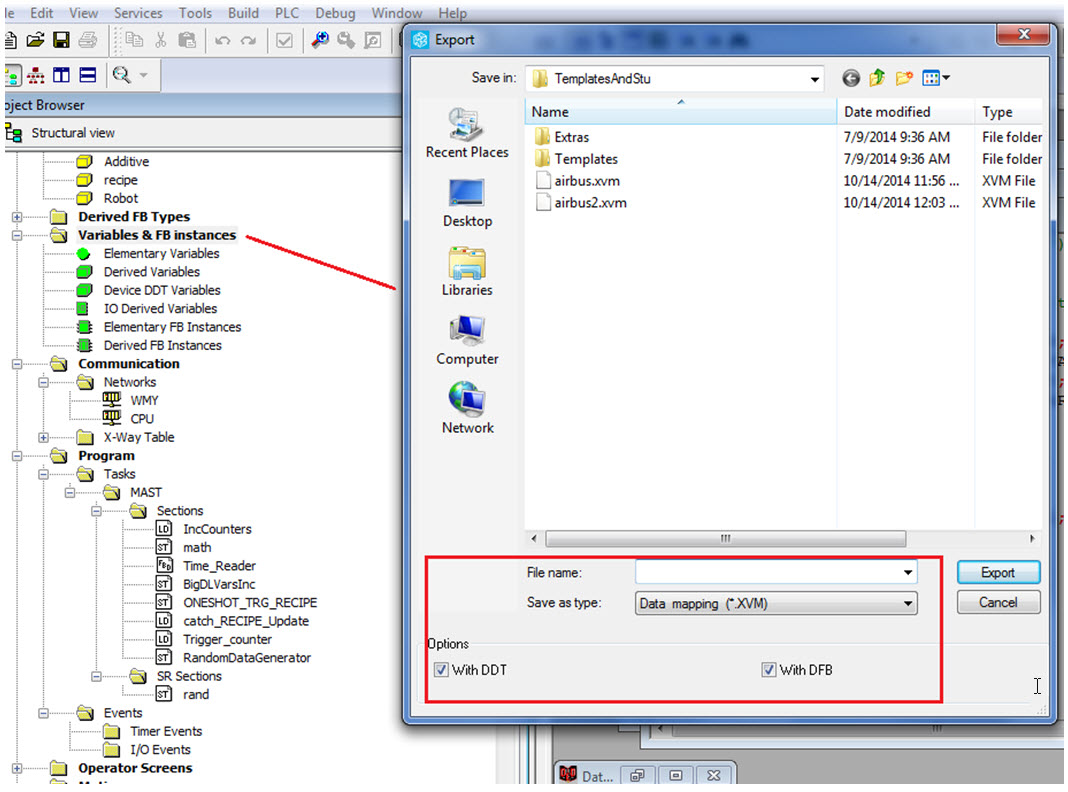
Export “Variable & FB Instances” as .XVM
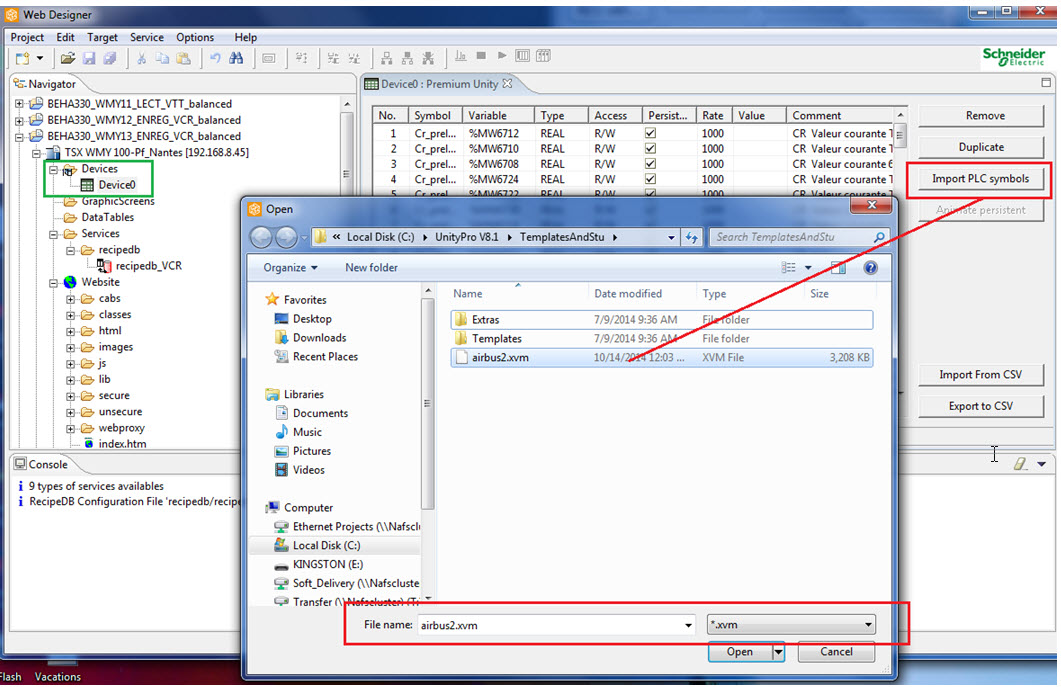
On Web Designer, “Import PLC Symbols”, import the up-to-date .XVM file to the Device0.
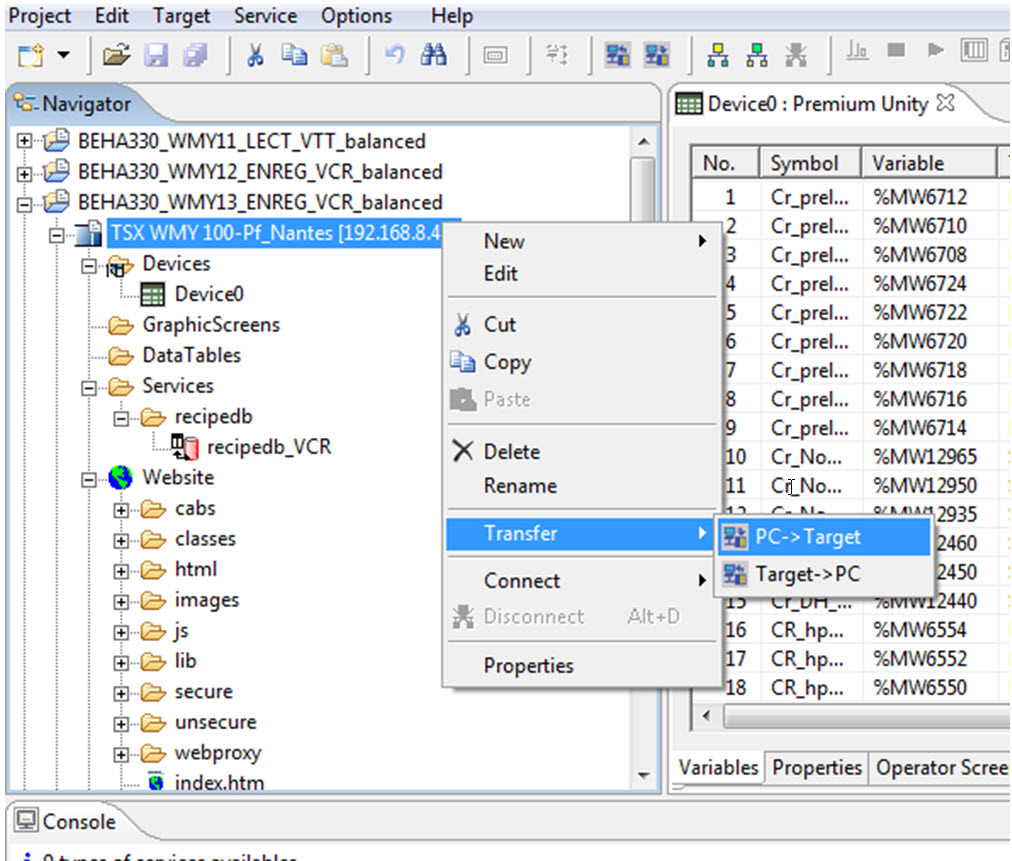
Transfer the up-to-date Web Designer project to the target WMY100 (PC->Target)
When prompted to reboot module, click “Yes”.
All changes in Unity PRO will require a synchronization between Unity and the WMY module. Synchronization can be accomplished by using the .stu file and .xvm file. In some case the synchronization using .STU file takes longer and therefore using a .XVM file is more efficient.
Product Line
Factory cast HMI (WMY, NMW)
Resolution
Below the steps on .xvm synchronization:
After rebuilding and saving Unity PRO:
Export “Variable & FB Instances” as .XVM
On Web Designer, “Import PLC Symbols”, import the up-to-date .XVM file to the Device0.
Transfer the up-to-date Web Designer project to the target WMY100 (PC->Target)
When prompted to reboot module, click “Yes”.
Released for: Schneider Electric USA
