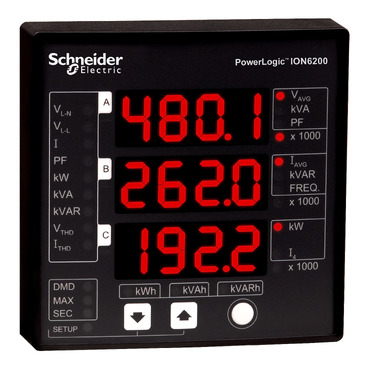
How to configure a ION6200 device from the front display
Issue
Need to enter setup mode or configuration mode of an ION6200
Product Line
ION6200
Environment
Installation or setup a power meter.
Cause
Entering configuration mode on a ION6200 is not clear.
Resolution
ENTER Configuration Select mode by pressing the Up and Down buttons at the same time and holding for 2 seconds.
Use the arrows to toggle through the settings and use the white circle button to enter edit for a parameter.
See page 19 in the attached document for information on setup parameters.
Released for: Schneider Electric USA