


Access the official Schneider Electric PLC, PAC, and Controllers support directory for Modicon M580, M340, Quantum, and EcoStruxure Control Expert software. This technical hub provides immediate solutions for Unity Pro conversion errors, X80 I/O firmware updates, and MSTR or WRITE_REG block faults. Streamline your industrial automation platforms with expert advice on software registration, VM trial environments, and IODDT configurations.
The M340 will have the capability to use the redundant power supplies with the release of Unity V11.1 and using the BMEXBP backplanes.
It does not mean the M340 will be able to communicate on the Ethernet link - M340 backplane communications will stay BusX only. The M340
will also not have the ability to use the preventive maintanence library either.
Quantum PLC showing unlocated variables with data.
M580 with READ_REMOTE block receiving the unlocated data from the Quantum
Yes, since the advent of Function Code 15 the MBP_MSTR can read 3x registers. This functionality is found on Unity processors.
The attached project in ZEF format contains an example of how to configure the MBP_MSTR with OpCode 15 to read 3x / 300000 / %IW registers from a server Modbus TCP device. This example was created with a double-wide Quantum CPU module, but the MBP_MSTR can be used in the same way with Momentum and M580 CPU modules. In the Data Editor, you will find the Control and Data Arrays. Read the comments section for each of the registers to see how they should be configured.
Yes. *800 series modules can be used as remote I/O drops in a Quantum or larger M580 systems with the Unity / Control Expert software. For more information on which modules are compatible, and for configuration information please consult the 800 Series I/O Modules with Control Expert user guide which is attached.
*Note: Although compatible, the 800 series family of I/O is obsolete. Please consider alternatives offered in the BMX families of IO .
|
No.The Concept M1Health function block was used to monitor local IO and distributed IO Bus servers.All of the same functionality can be reproduced in Unity Momentum with System Words.
Local IO Base can be monitored using %S119.
IO Bus Health can be monitored using %S118.
Server Module Health can be monitored using %SW128, %SW129.
OFS does not support bit ranks of a DDT. Unity is not able to export the overloaded comments of DDT members instance (bit rank). It was to make the data dictionary as light as possible.
Two possible workaround :
- access the extracted bit via the complete syntax ddt_inst.int.bit
- move the Bit rank to a Bool variable
If an update is released and there is media associated with it, the media will be shipped to the registered user on the contract.
You can find the name of the registered user contact from the portal.
For assistance with your contract, you can seek help at industryprioritysupportnews@schneider-electric.com
888-266-8705, option #4
Your Priority Support Portal access is on se.com. You can log in or register at the upper right of the webpage. https://www.se.com/us/en/
The issue could be caused by the update of '.NET Framework' replacing some of the .NET Framework 3.5 components.
- Perform a <Repair> off the installation DVD.
- Reinstall the Microsoft .NET Framework libraries used by Unity Pro.
To do this:
Open the Unity Pro installation DVD.
Open the folder named 'ISSetupPrerequisites'
Open the folder named '{074EE22F-2485-4FED-83D1-AAC36C3D9ED0}'
Double Click on the fie named 'dotnetfx3.5.exe'
- Upgrade to Unity Pro v11.1
If you are running on Windows 7 or 8, the icon may be found in the Start Bar in the folder path with a light blue icon:
Schneider Electric -> SoCollaborative -> Unity Pro -> Registration Tool
If you're running Windows 10, you may have difficulty finding the Registration Wizard from the Start Bar.
The file location is:
<Unity Pro InstallFolder>\RegUpXL\RegistrationWizard.exe
If you've installed in the default location, it would be the direct path:
C:\Program Files (x86)\Schneider Electric\Unity Pro\RegUpXL\RegistrationWizard.exe
Note: EcoStruxure Control Expert v14.0 and above uses the newer shared Schneider Electric License Manager Tool.
It is located in the default install location:
C:\Program Files (x86)\Schneider Electric\License Manager\LicenseManager.exe
If you are setting the PID Integral with a %MW, then the time base is milliseconds, 1000 = 1 second. Otherwise, if you are simply throwing in a value in a TIME variable, it is a time format such as T#1s, T#500ms etc. (TIME is also ms).
When using the BMEXBP1002, slots 2 and 8 do not support BME******* Ethernet backplane IO modules. Slots 2 and 8 only support BMX******* XBUS backplane IO modules. All of the remaining slots support either BME or BMX modules.
This also applies to the BMEXBP1200 for slots 2,8,10 and 11.
If an Arithmetic operation such as a multiplication, addition etc. is performed and the result of the operation exceed the max value for the variable type, this will generate an Arithmetic error/overflow exception. %S18 will turn on and stay on until the cause of the error is cleared. In the example below, IN1 and IN2 when multiplied the result is 40000. This exceed the max value of 32767 for a INT data type and thus the cause of the error.
Note: with restrictions below:
- When an .STA file created with Control Expert or Unity Pro ≥ V7.0 contains extracted bits in DDT, the .STA file cannot be opened with Unity Pro version < V7.0.
- When an .STA file created with Control Expert V15.0 Service Pack 1 or later is protected with the file encryption option, the .STA file cannot be opened with Control Expert V15.0 Classic and earlier.
1. Control Expert need to run with administrator rights by right clicking on the Control Expert classic icon and select "run as administrator"
2. The following folder is set to read only C:\ProgramData\Schneider Electric\Unity Pro Generic EtherNetIP DTM\Device Library. Right click on the folder and select properties. Under the General tab, uncheck the read only attribute and select Apply
It is not recommended to use WRITE_INPUT_xx EFB with RIO networks because the behavior in simulation mode could be different from PLC behavior. The input is set by the WRITE_INPUT_xx EFB but is overwritten by the value sent by the RIO scanner in the OUT phase of the PLC scan.
- The Ucmerr.log is a file that records information when the UnityPro software crashes.
- The UcmRegXL.log is a file that records information during the Unity registration process
- The QConfTrace.log is a file that records information during Unity Pro usage.
- unityprpxl.log
There are no means for acquiring the firmware version of the IO modules from either the DDTs or Unity Pro. The only method of querying the firmware version of IO modules is using either Unity Loader or the EADM tool.
Changing the IO Scanner constitutes a configuration change. Configuration changes are not supported between the Primary and Standby controllers and therefore must be done offline and the Quantum Hot Standby can not resync after an offline build changes.
Upgrading from Quantum to M580 Hot Standby would make editing the IO Scanner possible in a bumpless manner as long as it can be accomplished by an offline build change.
If the VM folder or properties change or the HOST ID changes, the Trial License is no longer valid.
The License Server sees the change as a violation.
Control Expert would have to be loaded on a different VM.
Control Expert V14 has been successfully tested in the following configuration :
- VirtualBox5.1.30 r118389 and 5.2.0-118431
- VMware Workstation 12 Pro 12.1.0 build-3272444
Sometimes this error can be a conflict with something else that is installed on the PC. It might require a repair or reinstall in the end.
(For repair, launch setup.exe from the DVD files)
Before a repair/reinstall you can try launching from a shortcut with properties set as below as sometimes this will correct it.
From the Shortcut tab select Run As Administrator.
From the Security Tab set all permissions to allow for all users/groups. Special permissions do not matter.
If from the Project Browser you double click on the PLC bus it will open a graphical window. At the top of that window you will see the M580 model number above the backplane. To the right of the model number is a pulldown where you can select your new model and firmware revision. See graphic below indicating the pulldown button.
Uninstall the CXM DTM from add/remove programs then run setup.exe from the CXM Gateway DTM folder that is part of the v15.3 installation files (iso).
Product Line
EcoStruxure Control Expert
Environment
PLC/PAC Programming Software for Windowss
Resolution
The PWS_DIAG_DDT_V2 function block is not available in Projects that have Libset v14.0 or lower.
Generally, the Libset version will be associated with the version number of EcoStruxure Control Expert that the project was created in.
Libset v14.1 or higher must be used in order to use the PWS_DIAG_DDT_V2 data type.
You can check the version of your Libset by right-clicking the Project Name in the Structural view and going to Properties:
The Properties of the project will appear and tell you the Libset version associated with the project:
Alternatively, you can click the [...] button in your Variable declaration Data Editor to bring up the Data Editor Variable Type Selection dialog.
Here, we see that Libset 14.0 does not have the PWS_DIAG_DDT_V2 Data Type:
Now that you've identified that the required minimum version of the Libset is not met, here is how to update your project's Libset:
1) Ensure that the project builds with no errors
2) Go to File -> Export
3) Export the project as a .ZEFfiletype into a folder on your computer of your choice.
4) Go to File -> Open...
5) In the dropdown in the bottom-right corner, choose the filetype: "Full Application Exchange Files (*.ZEF)"
6) Open the .ZEF file that you exported in Step 3 above.
7) Rebuild the project.
The project will now be updated and using the Libset version from your installed version of EcoStruxure Control Expert.
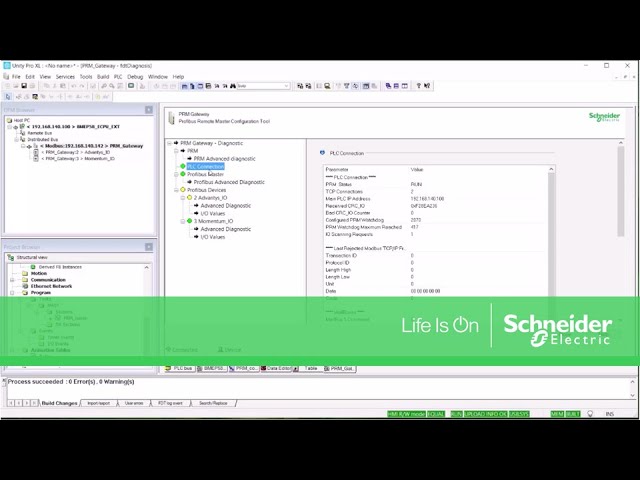
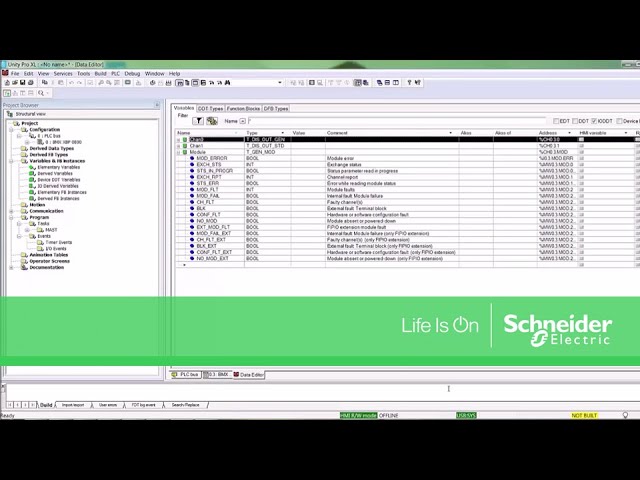
This is a result of the Display settings. To correct this go to Start - Settings - Control Panel - Display - Settings - Advanced -Display - Change the font size to normal (96 dpi) or small. - Reboot.
If this occurs on some projects but not all projects, delete the project's .ZTX file and reopen the project.
This error usually occurs when authorizing Concept, Proworx or Control Expert 14 (Unity Pro software. The SKCL.dll must reside in the \windows\system32 or \winnt\system32 folder. If it currently resides in this folder, you may need to register the .DLL.
To do this, bring up a DOS shell and type:
c:\> regsvr32 skcl.dll
You should then be able to launch the Authorization utility.
Goals and Symptoms
To create a customized Online Help that will be displayed when the user right clicks on a custom DFB and hits the "Help onType' button.
Facts and Changes
It is possible to link an HTML file for each DFB included in the Custom Library in Unity Pro v2.1 and later.
The HTLM file must have the same name as the associated DFB.
For example, if the DFB is named Test_DFB, the HTML file will be Test_DFB.htm.
This file must reside in the custom family folder.
You can create an .HTM file using any HTML editor. For example, Microsoft Word allows you to save in an HTML format.
The path for the Custom DFB is set inUnity Pro<Tools> <Options> <Paths> <Custom Library Path>.
1/ Create the DFB in Unity Pro and 'Put in Library'. Put it in the Custom Library.
2/ Create a 'Help on Type' file using Word. You can save it as a DFBname.htm.
3/ The 'Help on Type' file must have the same name as the DFB.
4/ Placing the .htm file. (NOTE: file extension is .htm, not .html.
a) If the custom library path in the Tools - Options - Custom Library path is:
C:\ProgramData\Schneider Electric\Unity Pro\CustomLibset\V12.0,
place the .htm file in the following folder:
C:\ProgramData\Schneider Electric\Unity Pro\CustomLibset\v12.0\CustomLib\MyCustomFam\ENG
Go to the Logic Editor section and right click on an instance of the Custom DFB and choose 'Help on Type'. The contents of the .HTM file should be displayed.
Unity Pro software versions prior to v7.0 did not include the 984LL converters. Versions between 4.1 and 6.1 included an option have them added with a separate add on purchase and install/license. From Unity Pro V7.0 forward, the converters are included with the standard install.
