


How to download log from the BMENUA0100?
To get the log from the BMENUA0100, you need to log on the webpage module and then follow the step below :
Access to the webpage of the BMENUA0100 :
If the module has his Rotary switch on “standard” security, the login is :
User : installer
Password : Inst@ller1
If the rotary switch has his Rotary switch on “secure, then fill it with the user and password that the customer has defined
Then click on the button “:support info” Download.
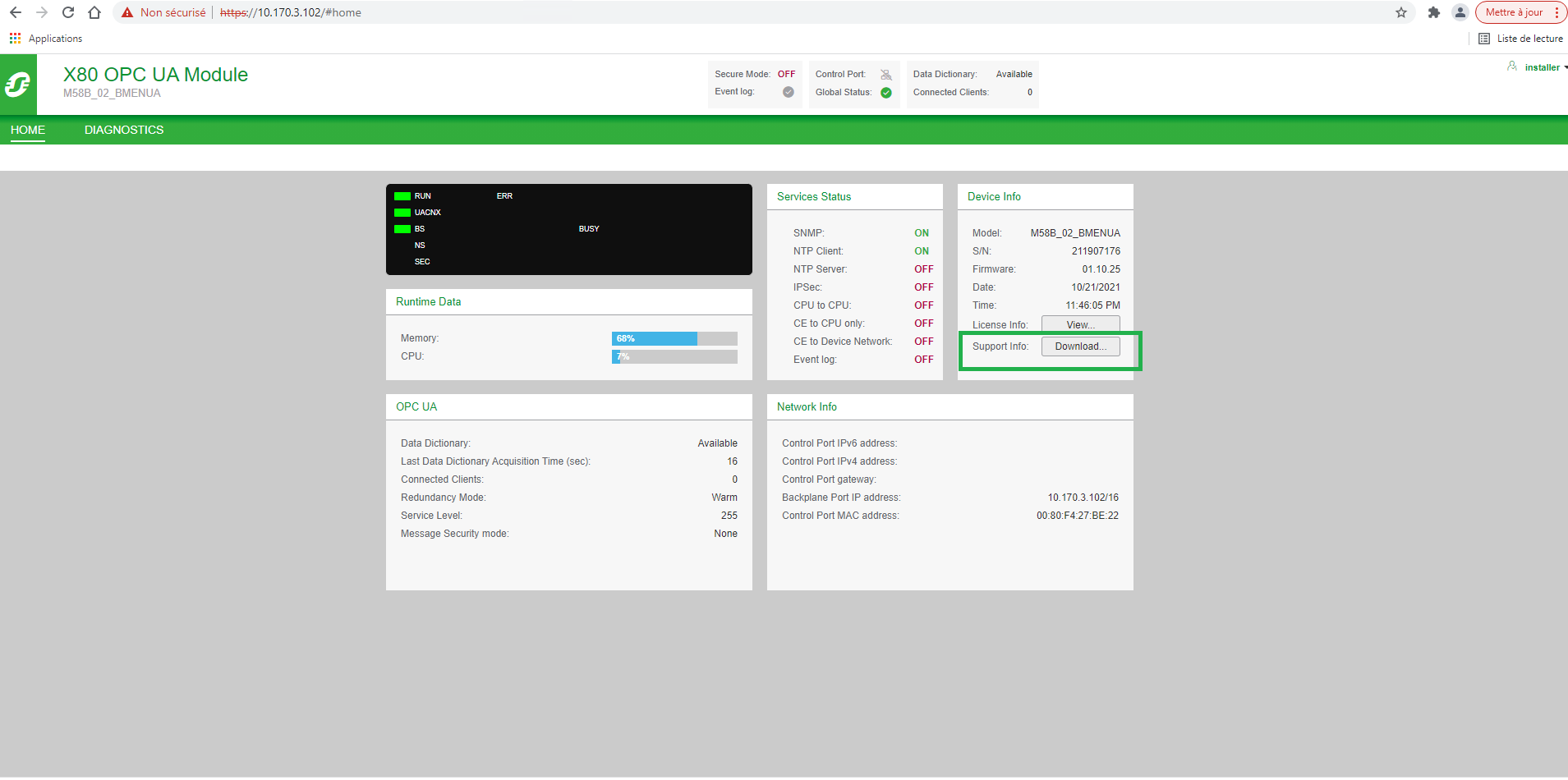
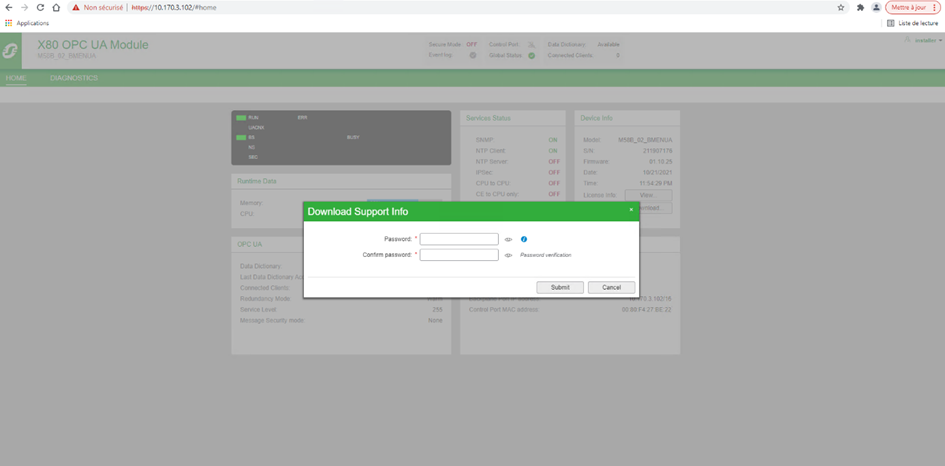
A pop-up will appear asking a password. The password has to be given to the Technical support and It will be useful to uncryptic the file.
Access to the webpage of the BMENUA0100 :
If the module has his Rotary switch on “standard” security, the login is :
User : installer
Password : Inst@ller1
If the rotary switch has his Rotary switch on “secure, then fill it with the user and password that the customer has defined
Then click on the button “:support info” Download.
A pop-up will appear asking a password. The password has to be given to the Technical support and It will be useful to uncryptic the file.
Released for: Schneider Electric USA
