


Procedure to check IO faults with PLC_R structure in Machine Expert
Issue:
Procedure to check IO faults with PLC_R structure in Machine Expert
Product Line:
EcoStruxure Machine Expert
Environment:
Machine Expert
Resolution:
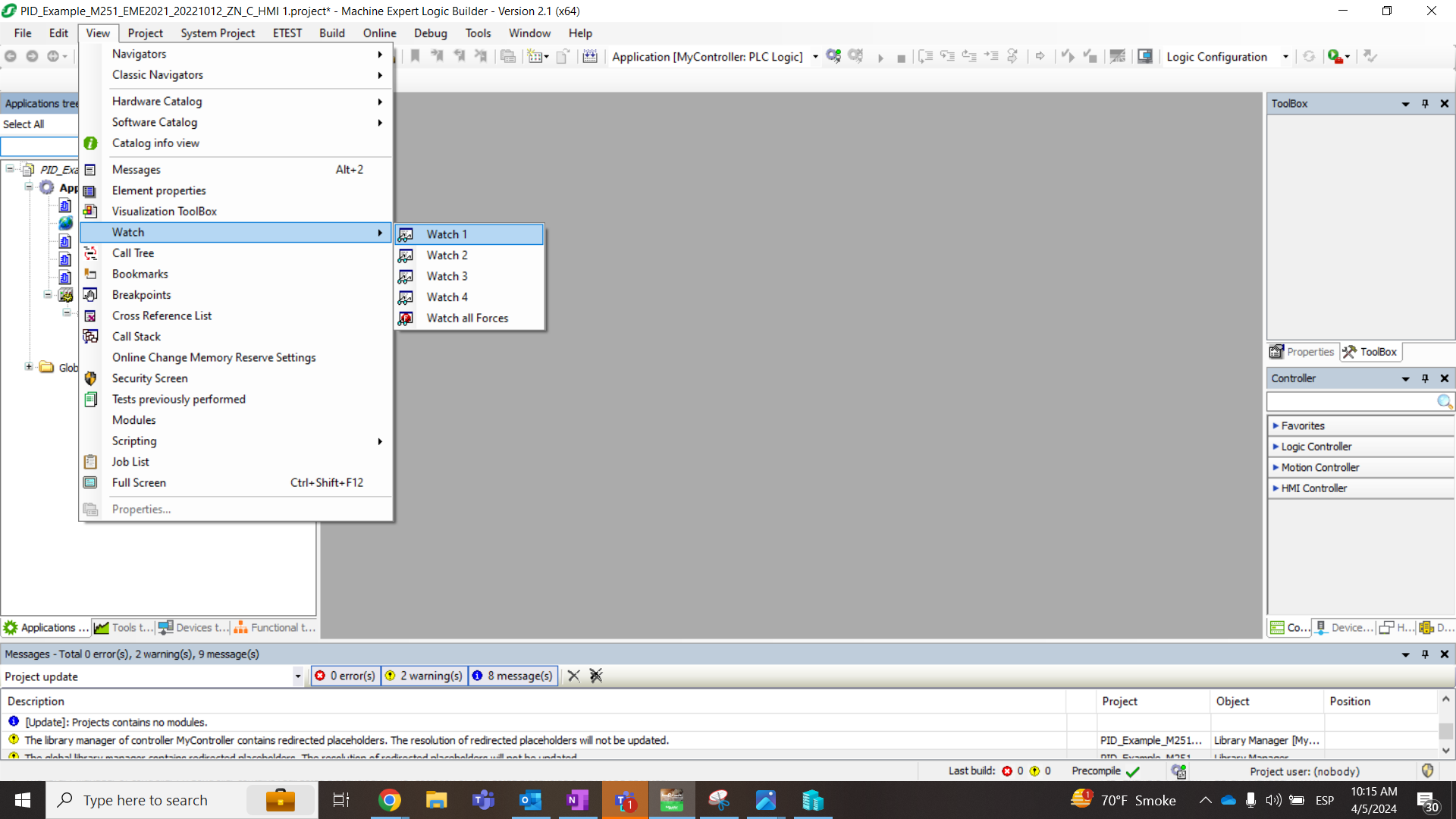
1- Go to View -> Watch -> Watch1 and click on it (Make sure to be online)
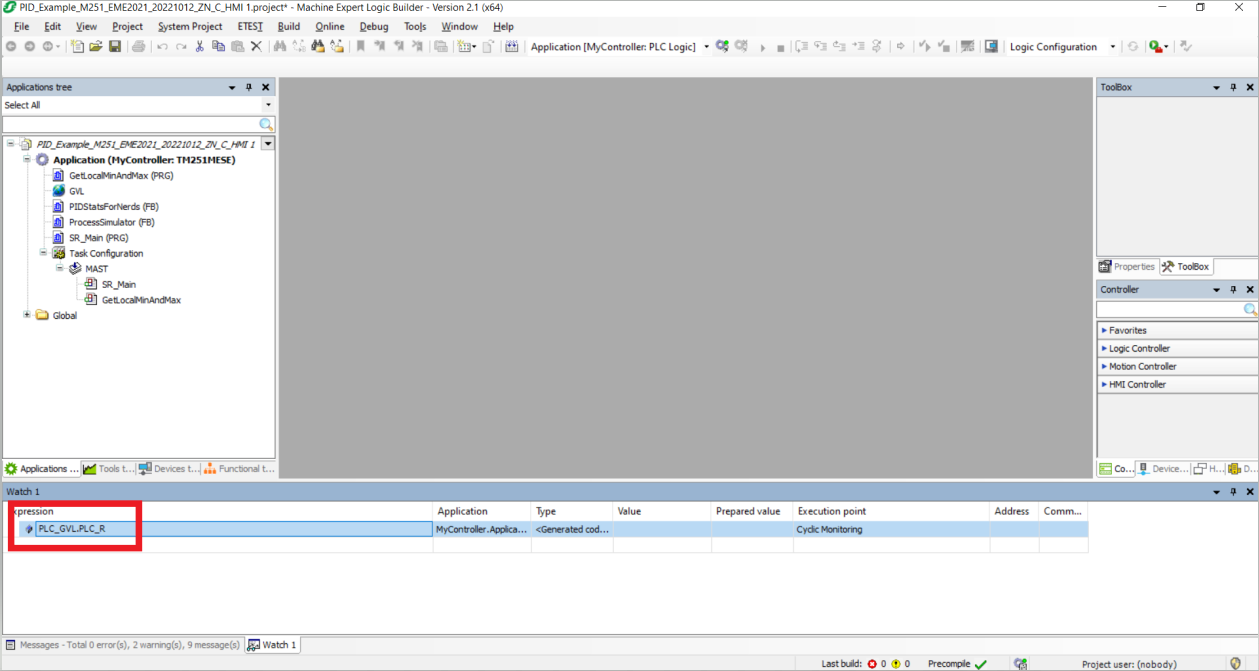
2- The following window will appear blank. There you double click on the blank space and type "PLC_GVL.PLC_R" and hit enter 2 times:
3- Look for the "i_lwSystemFault_1" then right click -> display mode -> Binary
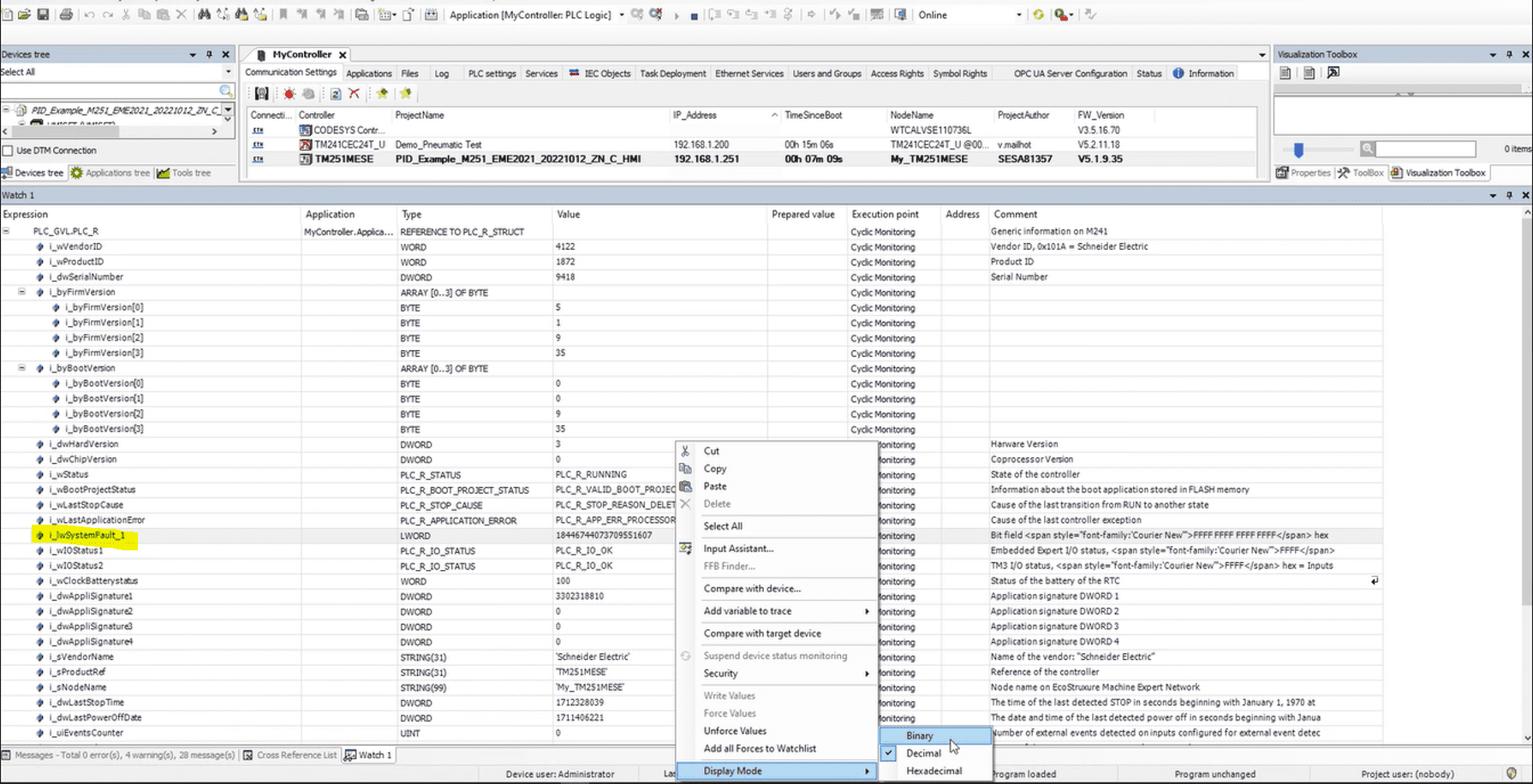
Now you'll see the values as 1s and 0s We will focus on the first 14 numbers from right to left.
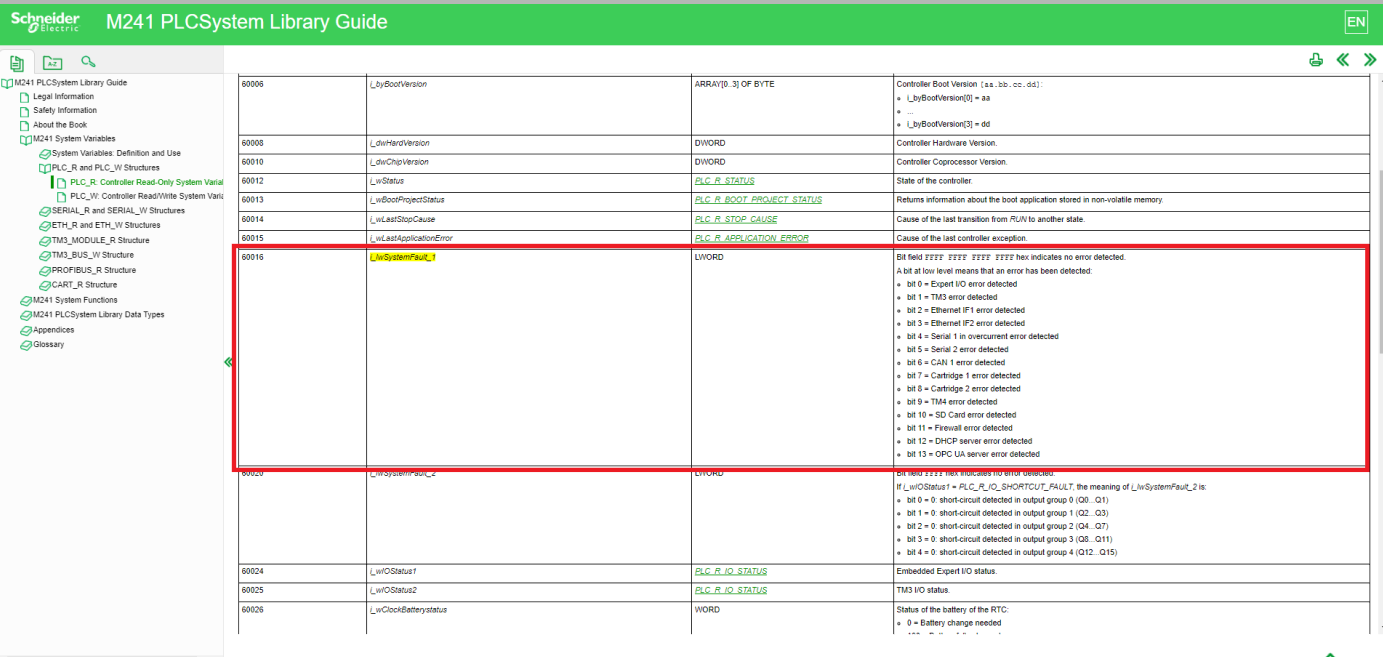
4- On the following link: https://product-help.schneider-electric.com/Machine Expert/V2.0/en/m241sys/index.htm#rhfulllayout=true?rhfulllayout=true&rhsearch=i_lwSystemFault_1&rhhlterm=i_lwSystemFault_1&rhsyns= &rhandsearch=0&SUBSTRSRCH=1&t=m241sys/D-SE-0004809.html
You can see the table with the meaning of each bit. If there's a 1, there's no error. If it shows a zero then there's the error.
Procedure to check IO faults with PLC_R structure in Machine Expert
Product Line:
EcoStruxure Machine Expert
Environment:
Machine Expert
Resolution:
1- Go to View -> Watch -> Watch1 and click on it (Make sure to be online)
2- The following window will appear blank. There you double click on the blank space and type "PLC_GVL.PLC_R" and hit enter 2 times:
3- Look for the "i_lwSystemFault_1" then right click -> display mode -> Binary
Now you'll see the values as 1s and 0s We will focus on the first 14 numbers from right to left.
4- On the following link: https://product-help.schneider-electric.com/Machine Expert/V2.0/en/m241sys/index.htm#rhfulllayout=true?rhfulllayout=true&rhsearch=i_lwSystemFault_1&rhhlterm=i_lwSystemFault_1&rhsyns= &rhandsearch=0&SUBSTRSRCH=1&t=m241sys/D-SE-0004809.html
You can see the table with the meaning of each bit. If there's a 1, there's no error. If it shows a zero then there's the error.
Released for: Schneider Electric USA
