


How is the Local/Remote button activated on the Altivar Process keypad?
Issue:
Enabling the Local/Remote button on the Altivar Process keypad
Product Line:
Altivar Process
Environment:
All models
Cause:
The Local/Remote button has no affect to switch between local and remote control.
Resolution:
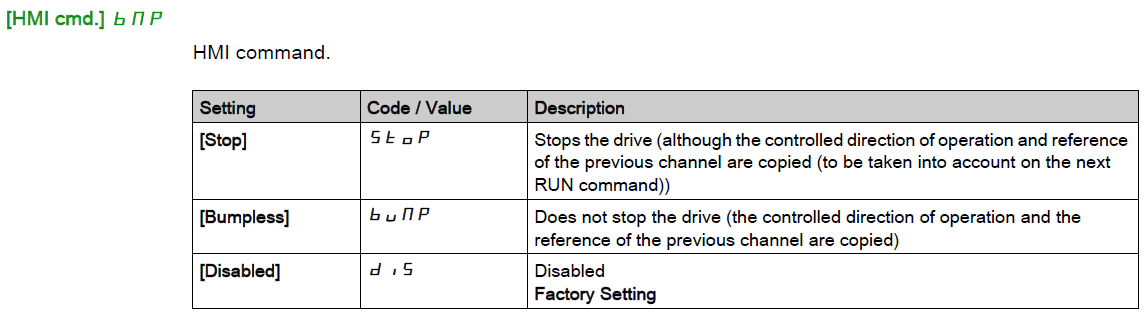
The factory default setting has this button disabled. Activate it by going into the Complete Settings menu, Command & Reference menu, and set [HMI CMD] to Stop or Bumpless.
Enabling the Local/Remote button on the Altivar Process keypad
Product Line:
Altivar Process
Environment:
All models
Cause:
The Local/Remote button has no affect to switch between local and remote control.
Resolution:
The factory default setting has this button disabled. Activate it by going into the Complete Settings menu, Command & Reference menu, and set [HMI CMD] to Stop or Bumpless.