


Hôm nay chúng tôi có thể giúp gì cho bạn?
Trio Q & J Radio Multi-Use Serial Port Wiring
Overview
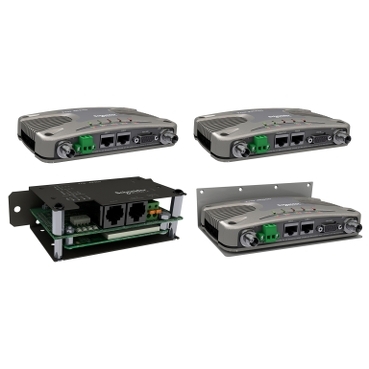
Both the Trio Q and Trio J radios have a multi-use serial port. Each radio features a 9 pin miniature D-Shell (DE-9) female connector that supports two individual serial port connections.
Typical use case for the J (unlicensed 900Mhz/2.4Ghz) or Q (licensed 150Mhz/450Mhz) radios will be Ethernet communications. Yet for legacy applications, a Modbus Gateway (Modbus TCP to RTU protocol converter), or Modbus Serial Device Server (Modbus RTU in TCP) may be configured on the serial port. A serial port may also be configured as a TUI (Text User Interface) for configuration/diagnostics. The TUI diagnostics is useful on systems suffering from high error rates as it provides a basic high speed interface.
Serial port configuration is accomplished with a web browser and the default IP address of both radios is 192.168.2.15. Details of how to configure each radio’s serial port for your application can be found in the Q or J radio documentation installed with TVew+.
Serial Port A & B (J series Radio)
Data Port A uses pins 2 & 3 with pin 5 as the common ground*
Data Port B uses pins 4 & 6 with pin 5 as the common ground*
| RS-232 Mode | ||
|---|---|---|
| Pin | Name | Input / Output |
| 1 | Not Used | --- |
| 2 | Port A RxD | Output |
| 3 | Port A TxD | Input |
| 4 | Port B TxD (Diags) | Input |
| 5 | GND | --- |
| 6 | Port B RxD (Diags) | Output |
| 7 | Not Used | --- |
| 8 | Not Used | --- |
| 9 | RSSI / General Purpose Pin | Output |
* There is no option for RS-485 connections with the J Series radio.
COM Port 1 & 2 (Q series Radio)
COM 1 uses pins 2,3,7 & 8 with pin 5 as the common ground
COM 2 uses pins 4 & 6 with pin 5 as the common ground
| RS-232 Mode | RS-485 Mode | |||
|---|---|---|---|---|
| Pin | Name | Input / Output | Name | Input / Output |
| 1 | COM 1 DCD | Output | Not Used | --- |
| 2 | COM 1 RxD | Output | B / Z (Inverting) | Input / Output |
| 3 | COM 1 TxD | Input | A / Y (Non-Inverting) | Input / Output |
| 4 | COM 2 TxD | Input | Not Used | --- |
| 5 | GND | --- | Not Used | --- |
| 6 | COM 2 RxD | Output | Not Used | --- |
| 7 | COM 1 RTS | Input | Not Used | --- |
| 8 | COM 1 CTS | Output | Not Used | --- |
| 9 | RSSI | Output | RSSI | Output |
Đã phát hành cho: Schneider Electric Việt Nam
Tìm hiểu thêm
Phạm vi:
Tìm hiểu thêm
Phạm vi:
Bạn cần trợ giúp?
Công cụ chọn sản phẩm
Nhanh chóng và dễ dàng tìm được sản phẩm và phụ kiện phù hợp cho các ứng dụng của bạn.
Nhận báo giá
Bắt đầu gửi yêu cầu bán hàng trực tuyến và chuyên gia sẽ liên hệ với bạn.
Nơi mua hàng?
Dễ dàng tìm nhà phân phối Schneider Electric gần bạn nhất.
Trung tâm Hỗ trợ
Tìm sự hỗ trợ cho mọi nhu cầu của bạn tại một nơi.