


How are managed the reconnection timeouts in EcoStruxure Secure Connect Advisor?
In EcoStruxure Secure Connect Advisor, there are two levels of timeouts. This article will provide explanation about reconnection timeouts when a remote connection is established from a LinkManager to a SiteManager agent
This article is application for EcoStruxure Secure Connect Advisor, all versions
There are 2 levels of timeout in the Secure Connect solution :
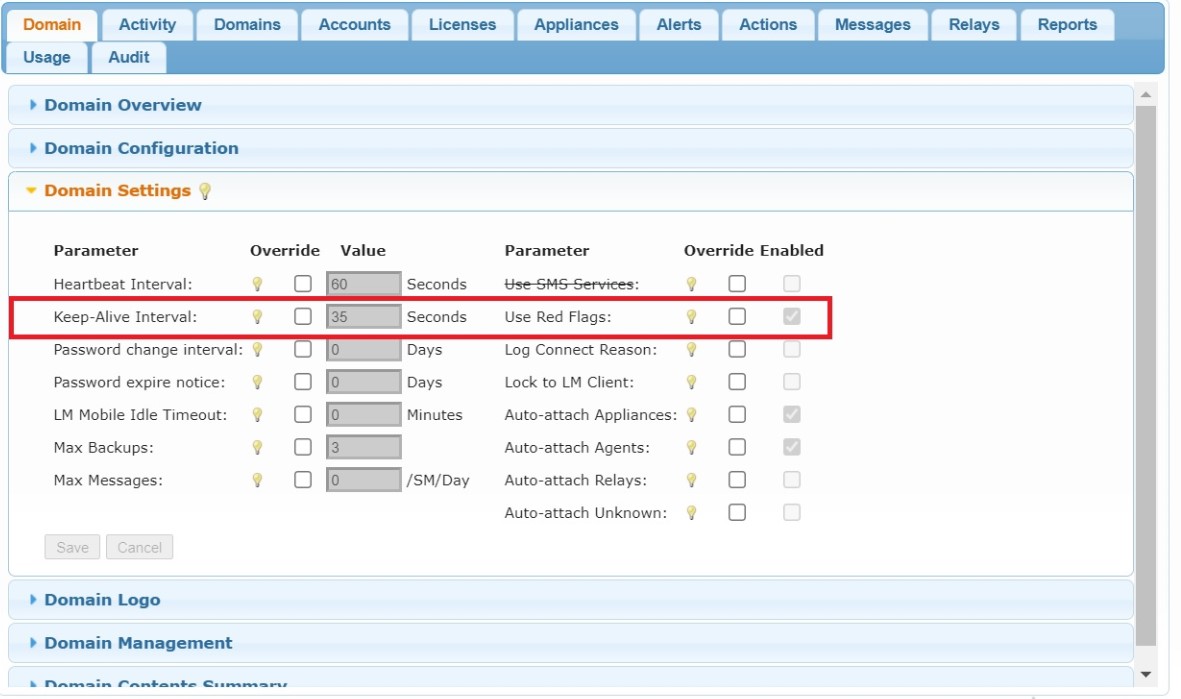
- In the GateManager web UI, when logged in as a Basic Administrator, once a customer domain is selected in the left view, in the tab "Domain", section "Domain Settings", the Parameter "Keep-Alive Interval" is responsible for the duration after which a SiteManager (or LinkManager) is considered disconnected from the GateManager : after 3 times "Keep-Alive Interval" has elapsed, the SiteManager (or LinkManager) will be considered disconnected, thus resulting in a red flag icon being displayed next to the SiteManager (or LinkManager) being disconnected.
Once disconnected, the SiteManager (or LinkManager) will keep on retrying to connect to the GateManager.
There is no maximum number of attempts.
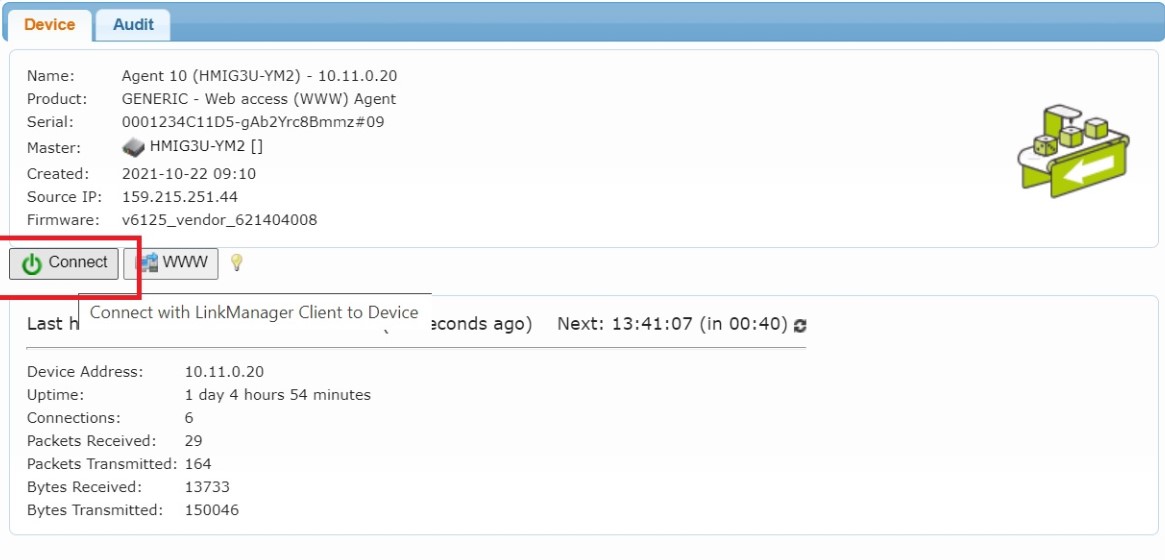
- Once a remote connection is requested by a LinkManager user to a remote SiteManager agent, by clicking on the button "Connect" in the GateManager web UI, if connectivity between LinkManager and GateManager gets lost, the LinkManager will start a 15-minute (hardcoded value) timeout.
If the connectivity between LinkManager and GateManager is not recovered within this time interval, then the remote connection will be considered as lost by the LinkManager. Thus, a reconnection of the LinkManager to the GateManager after the 15-minute timeout will require the LinkManager user to manually re establish the remote connection, by clicking on the button "Connect" in the GateManager web UI.
This article is application for EcoStruxure Secure Connect Advisor, all versions
There are 2 levels of timeout in the Secure Connect solution :
- In the GateManager web UI, when logged in as a Basic Administrator, once a customer domain is selected in the left view, in the tab "Domain", section "Domain Settings", the Parameter "Keep-Alive Interval" is responsible for the duration after which a SiteManager (or LinkManager) is considered disconnected from the GateManager : after 3 times "Keep-Alive Interval" has elapsed, the SiteManager (or LinkManager) will be considered disconnected, thus resulting in a red flag icon being displayed next to the SiteManager (or LinkManager) being disconnected.
Once disconnected, the SiteManager (or LinkManager) will keep on retrying to connect to the GateManager.
There is no maximum number of attempts.
- Once a remote connection is requested by a LinkManager user to a remote SiteManager agent, by clicking on the button "Connect" in the GateManager web UI, if connectivity between LinkManager and GateManager gets lost, the LinkManager will start a 15-minute (hardcoded value) timeout.
If the connectivity between LinkManager and GateManager is not recovered within this time interval, then the remote connection will be considered as lost by the LinkManager. Thus, a reconnection of the LinkManager to the GateManager after the 15-minute timeout will require the LinkManager user to manually re establish the remote connection, by clicking on the button "Connect" in the GateManager web UI.
Đã phát hành cho: Schneider Electric Việt Nam

Bạn cần trợ giúp?
Công cụ chọn sản phẩm
Nhanh chóng và dễ dàng tìm được sản phẩm và phụ kiện phù hợp cho các ứng dụng của bạn.
Nhận báo giá
Bắt đầu gửi yêu cầu bán hàng trực tuyến và chuyên gia sẽ liên hệ với bạn.
Nơi mua hàng?
Dễ dàng tìm nhà phân phối Schneider Electric gần bạn nhất.
Trung tâm Hỗ trợ
Tìm sự hỗ trợ cho mọi nhu cầu của bạn tại một nơi.