


How to download log from the BMENUA0100?
To get the log from the BMENUA0100, you need to log on the webpage module and then follow the step below :
Access to the webpage of the BMENUA0100 :
If the module has his Rotary switch on “standard” security, the login is :
User : installer
Password : Inst@ller1
If the rotary switch has his Rotary switch on “secure, then fill it with the user and password that the customer has defined
Then click on the button “:support info” Download.
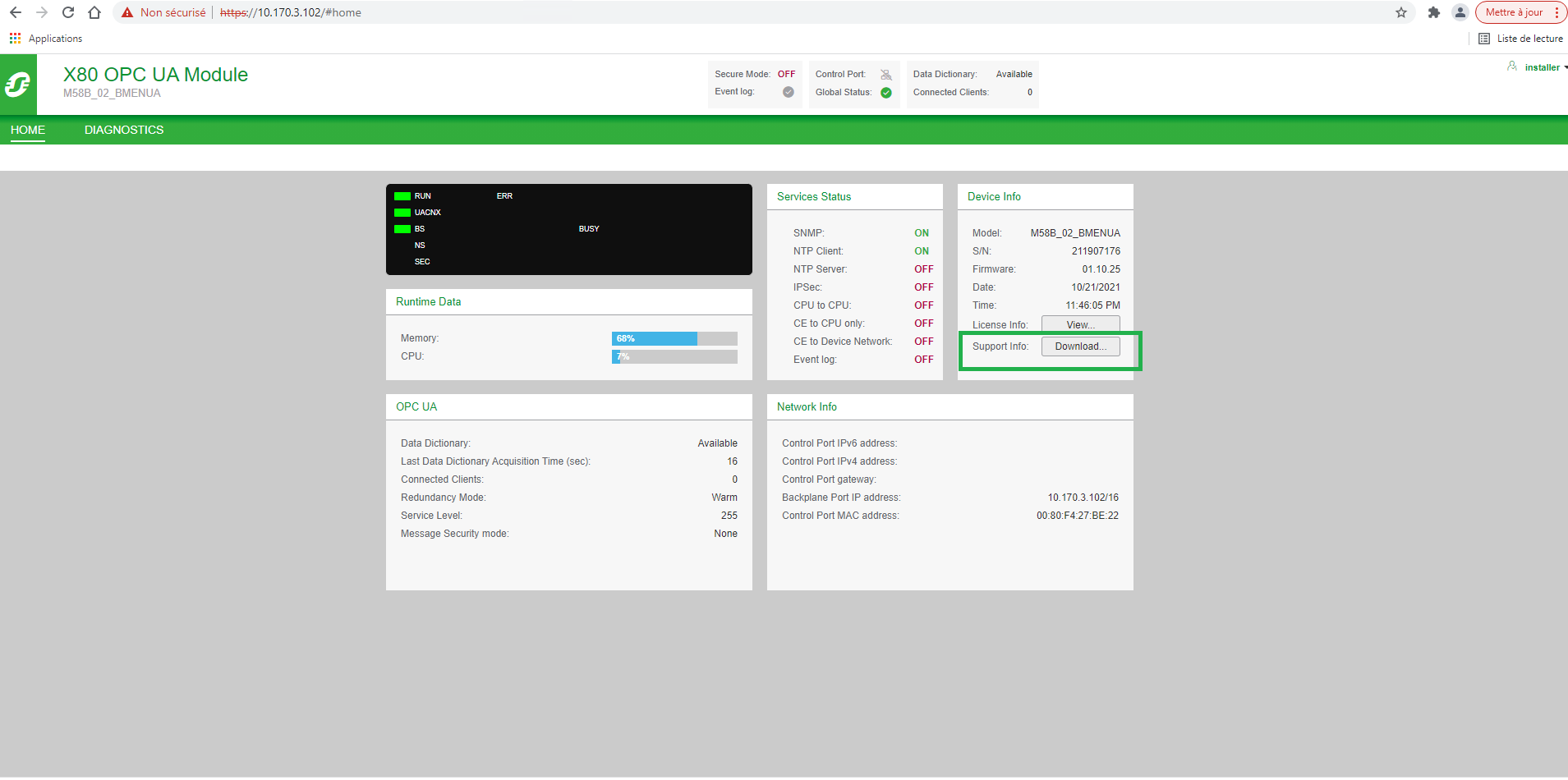
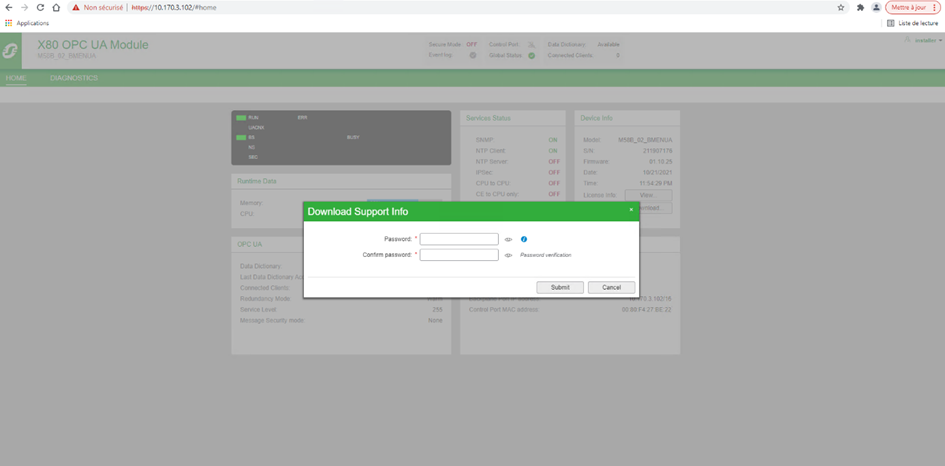
A pop-up will appear asking a password. The password has to be given to the Technical support and It will be useful to uncryptic the file.
Access to the webpage of the BMENUA0100 :
If the module has his Rotary switch on “standard” security, the login is :
User : installer
Password : Inst@ller1
If the rotary switch has his Rotary switch on “secure, then fill it with the user and password that the customer has defined
Then click on the button “:support info” Download.
A pop-up will appear asking a password. The password has to be given to the Technical support and It will be useful to uncryptic the file.
Đã phát hành cho: Schneider Electric Việt Nam

Bạn cần trợ giúp?
Công cụ chọn sản phẩm
Nhanh chóng và dễ dàng tìm được sản phẩm và phụ kiện phù hợp cho các ứng dụng của bạn.
Nhận báo giá
Bắt đầu gửi yêu cầu bán hàng trực tuyến và chuyên gia sẽ liên hệ với bạn.
Nơi mua hàng?
Dễ dàng tìm nhà phân phối Schneider Electric gần bạn nhất.
Trung tâm Hỗ trợ
Tìm sự hỗ trợ cho mọi nhu cầu của bạn tại một nơi.