


Geo SCADA: Understanding Consequential Alarms
The idea of a consequential alarm is that a points alarm will be omitted from the alarm banner if its alarm is a natural occurrence of other alarms (I.E. an alarm for another point.) This will affect the behaviour of the alarms as described below.
This example demonstrates how to set up and use consequential alarms in Geo SCADA.
Import the enclosed file, consequential test.sde, and follow along with the steps below to learn how to use consequential alarms.
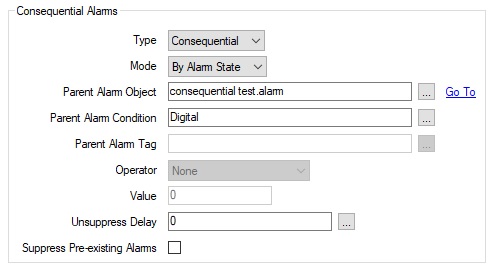
The point named ‘consequential’ has the following consequential alarm configured:
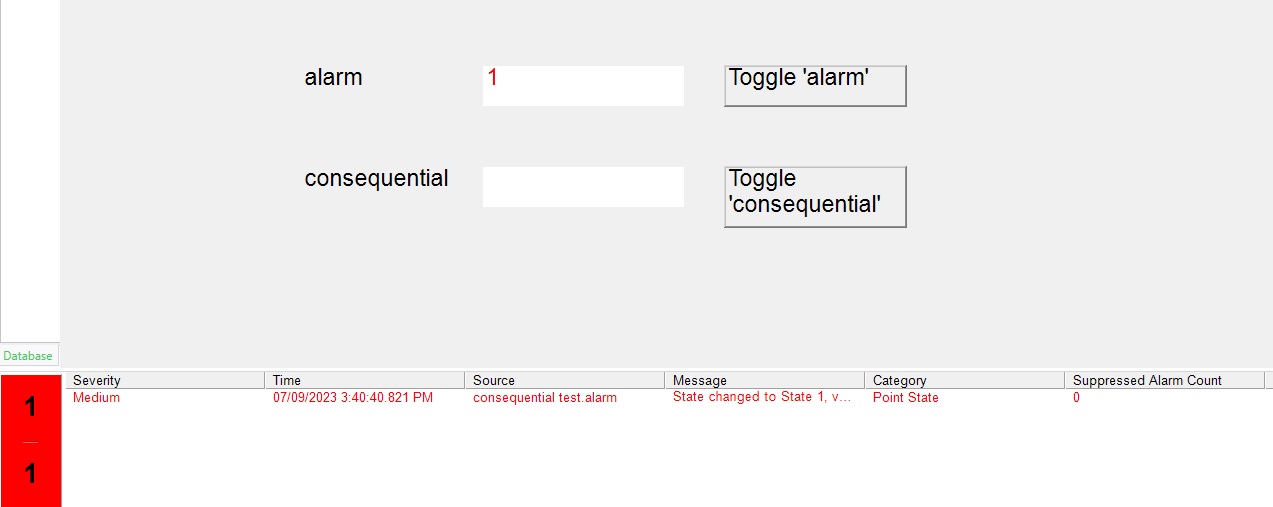
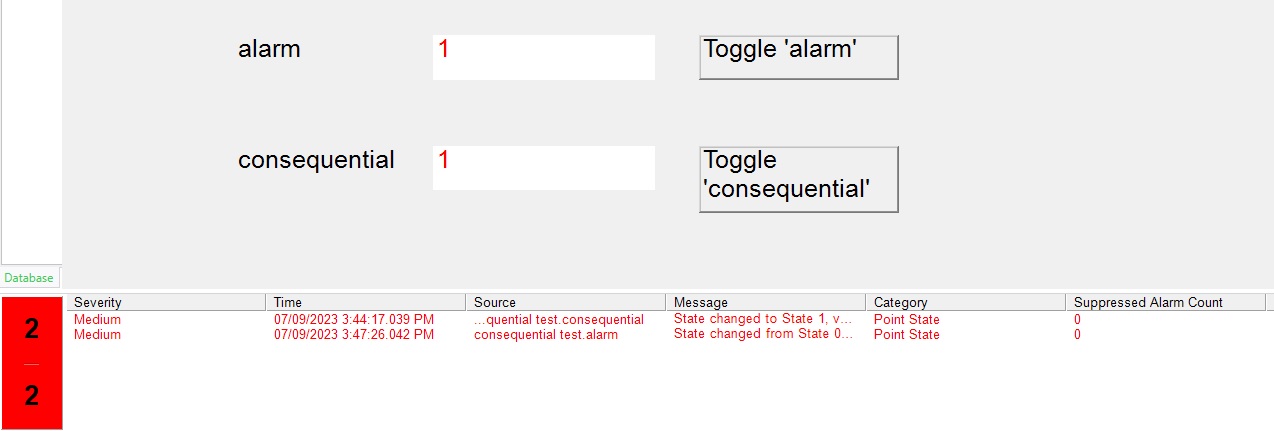
1) From the mimic, click on button Toggle 'Alarm' to turn on the 'alarm' point (and put it into alarm). You will notice the alarm appear in the alarm banner as shown below. Note that the 'Suppressed Alarm Count' is at 0.
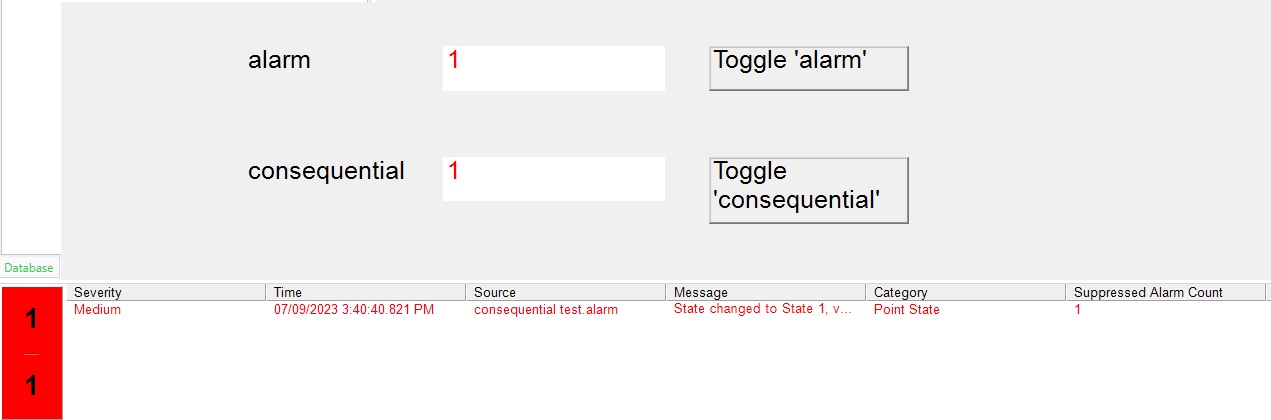
2) Next, click the Toggle 'consequential' button (to put the 'consequential' point into alarm). You'll notice that the 'consequential' point turns red on the mimic, but the alarm does not appear in the alarm banner. Also, the 'Suppressed Alarm Count' is showing as 1.
Since the 'consequential' point is configured with a 'consequential alarm' that points to the 'alarm' point (as seen in the 'properties dialog at the top of this article), the alarm for the 'consequential' point is suppressed in the alarm banner due to the fact that the 'alarm' point is already in alarm.
The suppressed alarm count jumps to 1 indicating that 1 alarm (the alarm for the 'consequential' point) is being suppressed.
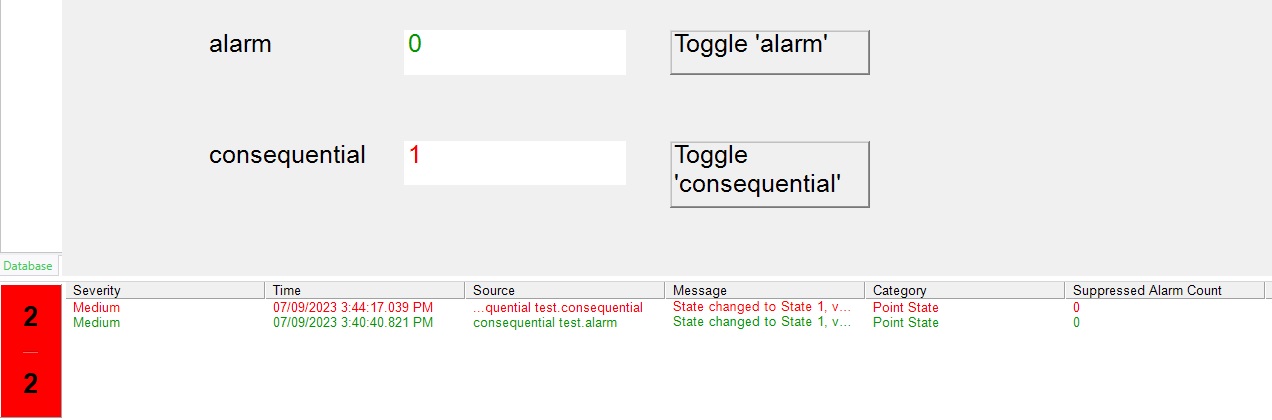
3) Now click Toggle 'alarm' again to turn off the parent point (and take it out of the alarm state). You'll now see the 'consequential' point's alarm appear in the alarm banner and the 'Suppressed Alarm Count' set as 0.
Since the parent alarm is no longer in an alarm state, this negates the consequential alarm suppression and allows the 'consequential' point's alarm to be seen in the alarm banner. Since this alarm is no longer being suppressed, the alarm count is set from a 1 back to a 0.
4) Finally, if you click on Toggle 'alarm' again (to put the 'alarm' point back into the alarm state) you'll notice the 'alarm' point's alarm return to the alarm banner, but the 'consequential' point's alarm remains in the alarm banner as well.
For a point's alarm to be suppressed, the parent point must already be in alarm. In this example, since the 'alarm' point (the parent point) was not in alarm when the 'consequential' point went into alarm, the 'consequential' point remained in alarm, even though it was configured with a consequential alarm which pointed to the 'alarm' point.
This is how the consequential alarm functionality works. The alarm for the consequential point is only suppressed if the parent point is in alarm first (when the 'consequential' point goes into alarm).
This example demonstrates how to set up and use consequential alarms in Geo SCADA.
Import the enclosed file, consequential test.sde, and follow along with the steps below to learn how to use consequential alarms.
The point named ‘consequential’ has the following consequential alarm configured:
1) From the mimic, click on button Toggle 'Alarm' to turn on the 'alarm' point (and put it into alarm). You will notice the alarm appear in the alarm banner as shown below. Note that the 'Suppressed Alarm Count' is at 0.
2) Next, click the Toggle 'consequential' button (to put the 'consequential' point into alarm). You'll notice that the 'consequential' point turns red on the mimic, but the alarm does not appear in the alarm banner. Also, the 'Suppressed Alarm Count' is showing as 1.
Since the 'consequential' point is configured with a 'consequential alarm' that points to the 'alarm' point (as seen in the 'properties dialog at the top of this article), the alarm for the 'consequential' point is suppressed in the alarm banner due to the fact that the 'alarm' point is already in alarm.
The suppressed alarm count jumps to 1 indicating that 1 alarm (the alarm for the 'consequential' point) is being suppressed.
3) Now click Toggle 'alarm' again to turn off the parent point (and take it out of the alarm state). You'll now see the 'consequential' point's alarm appear in the alarm banner and the 'Suppressed Alarm Count' set as 0.
Since the parent alarm is no longer in an alarm state, this negates the consequential alarm suppression and allows the 'consequential' point's alarm to be seen in the alarm banner. Since this alarm is no longer being suppressed, the alarm count is set from a 1 back to a 0.
4) Finally, if you click on Toggle 'alarm' again (to put the 'alarm' point back into the alarm state) you'll notice the 'alarm' point's alarm return to the alarm banner, but the 'consequential' point's alarm remains in the alarm banner as well.
For a point's alarm to be suppressed, the parent point must already be in alarm. In this example, since the 'alarm' point (the parent point) was not in alarm when the 'consequential' point went into alarm, the 'consequential' point remained in alarm, even though it was configured with a consequential alarm which pointed to the 'alarm' point.
This is how the consequential alarm functionality works. The alarm for the consequential point is only suppressed if the parent point is in alarm first (when the 'consequential' point goes into alarm).
Đã phát hành cho: Schneider Electric Việt Nam

Bạn cần trợ giúp?
Công cụ chọn sản phẩm
Nhanh chóng và dễ dàng tìm được sản phẩm và phụ kiện phù hợp cho các ứng dụng của bạn.
Nhận báo giá
Bắt đầu gửi yêu cầu bán hàng trực tuyến và chuyên gia sẽ liên hệ với bạn.
Nơi mua hàng?
Dễ dàng tìm nhà phân phối Schneider Electric gần bạn nhất.
Trung tâm Hỗ trợ
Tìm sự hỗ trợ cho mọi nhu cầu của bạn tại một nơi.