


TSXUSBMBP keeps dropping off the network after the PC hibernates.
Issue
TSXUSBMBP keeps dropping off the network after the PC hibernates.
Product Line
TSXUSBMBP
Environment
Windows 10
Resolution
This is not a TSXUSBMBP product related problem. The issue is related to the behavior of the hibernation function for the Windows
operating system. Hibernation has been known to cause problems with USB connected devices (see article at
'http://support.microsoft.com/en-us/kb/2940217)'
To resolve the issue, try disabling any 'USB selective suspend' power settings for the USB and retest.
To disable the setting: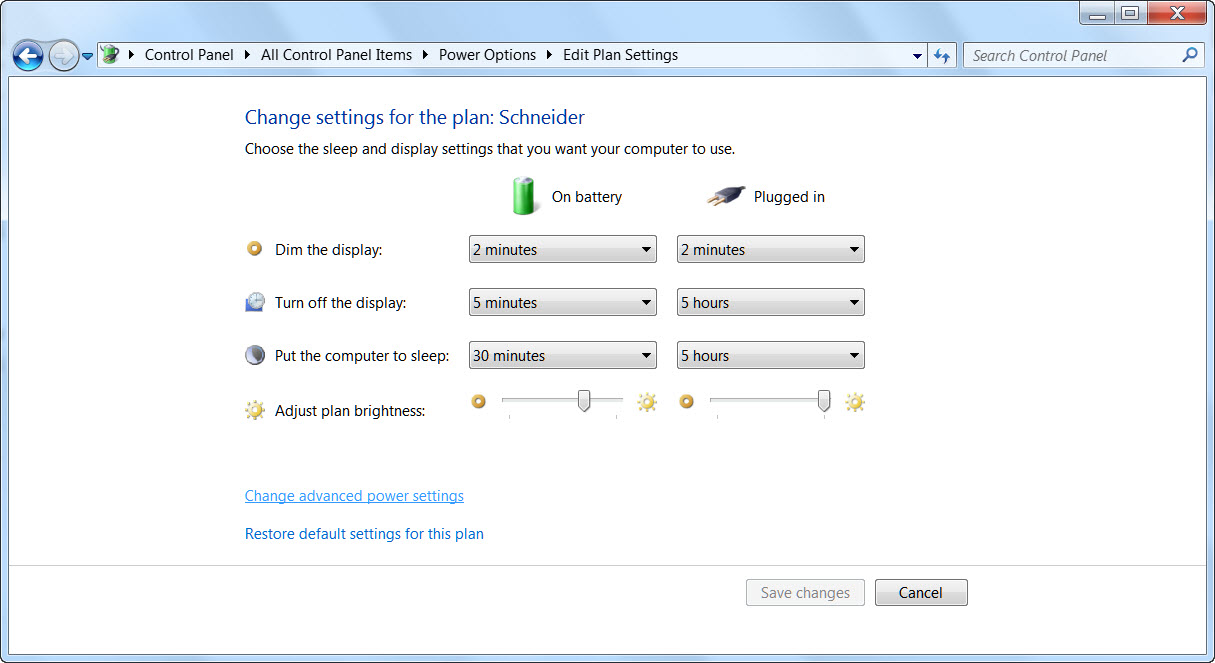 .
.
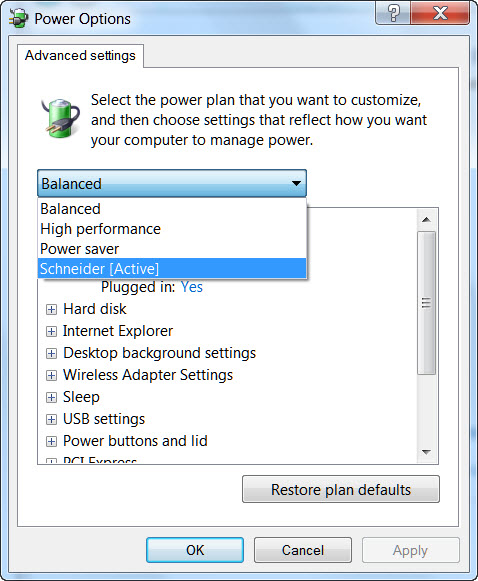
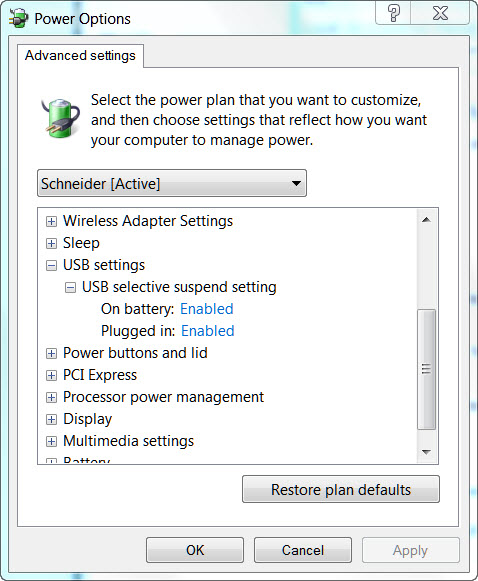
TSXUSBMBP keeps dropping off the network after the PC hibernates.
Product Line
TSXUSBMBP
Environment
Windows 10
Resolution
This is not a TSXUSBMBP product related problem. The issue is related to the behavior of the hibernation function for the Windows
operating system. Hibernation has been known to cause problems with USB connected devices (see article at
'http://support.microsoft.com/en-us/kb/2940217)'
To resolve the issue, try disabling any 'USB selective suspend' power settings for the USB and retest.
To disable the setting:
- Open the Power settings control panel.
- Click on 'Change Advance Power Setting'
- Click on the drop down arrow.
- Select a power plan (i.e., Balanced, etc.)
- Change the settings from enabled to disabled
- Click on Apply.
- Click on OK.