


Deployment of Data Center Expert 7.9.x VM only allows up to 8 CPU cores.
Issue:
Deployment of Data Center Expert 7.9.x only allows up to 8 CPU cores.
Product Line:
Data Center Expert
Environment:
DCE potentially any version
AP94VMACT deployment on VMware ESXI
Cause:
Data Center Expert VM was only built with the maximum capacity of 8 CPU cores. This was due to compatibility with ESXI version 4.
Resolution:
This can be edited in VMware and changed to allow more cores.
Shut the vm down.
Right click the VM in vsphere.
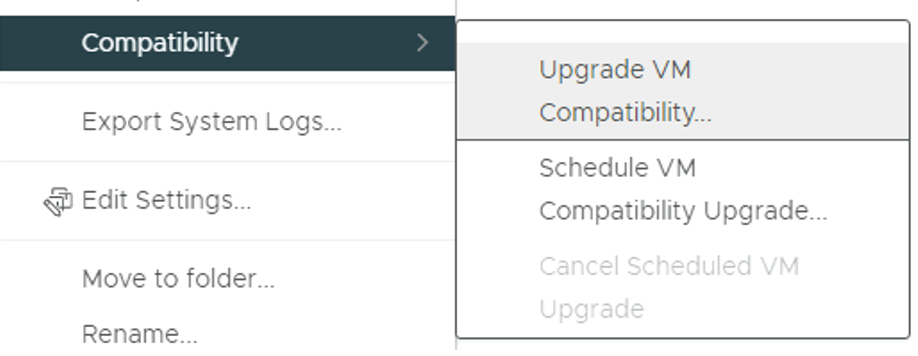
Go to Compatibility --> Upgrade Compatibility
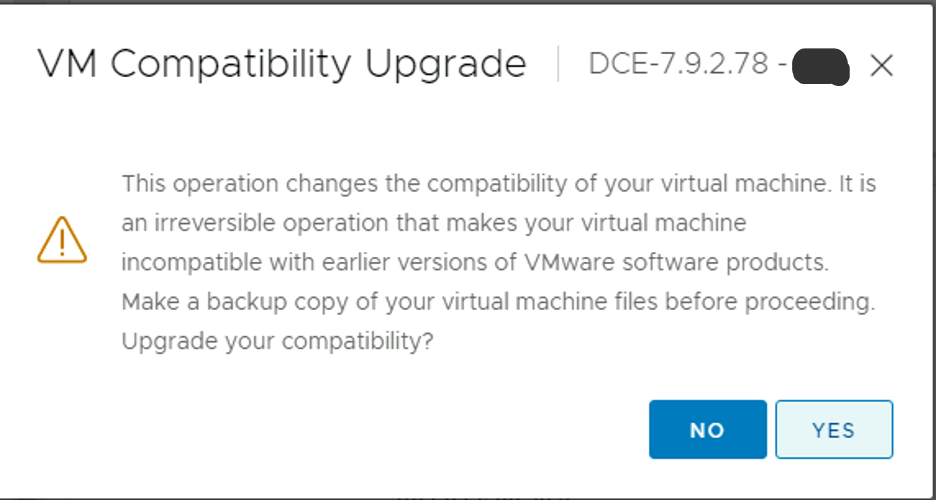
You will get a warning stating that this is an irreversible operation. Hit yes.
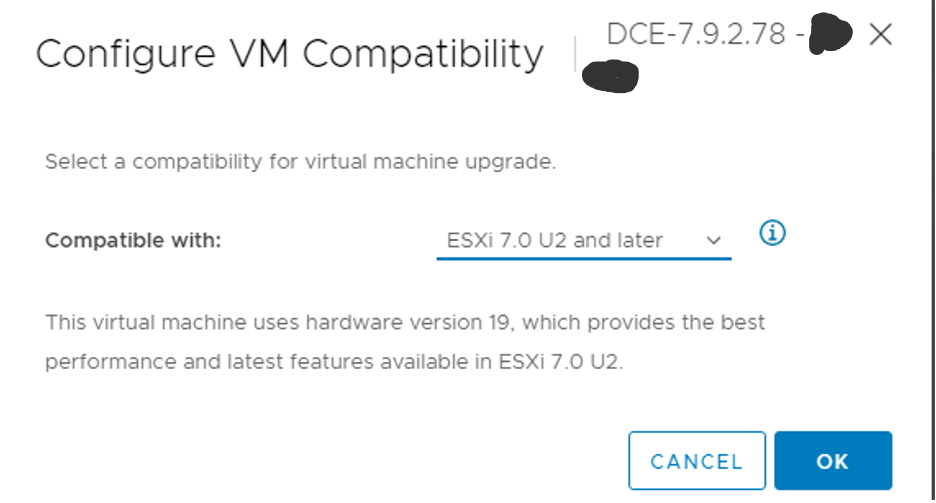
Choose the last one in the "Compatible With" list and hit OK
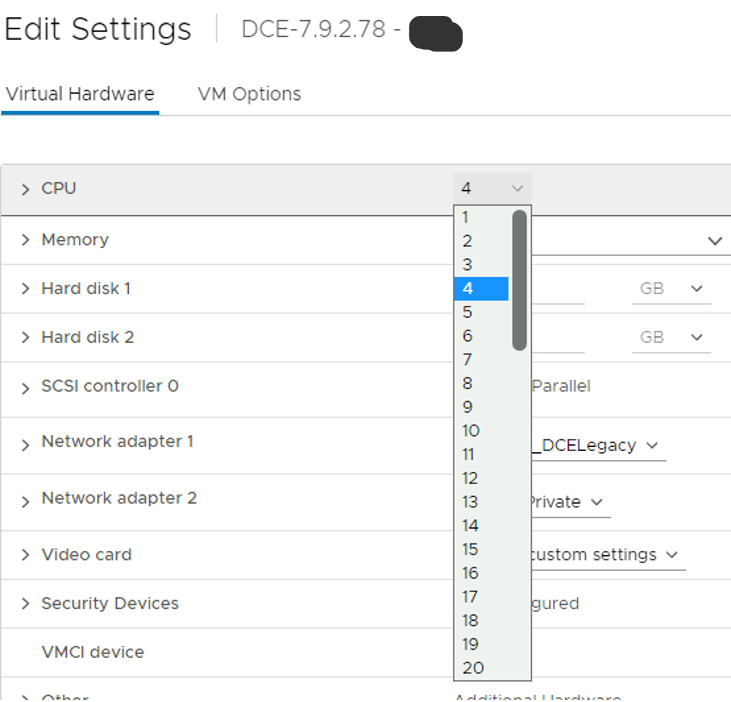
You should now be able to set over 8 CPUs for the DCE 7.9.2
***Please note that if you have deployed a version and increased the number of cores, then upgraded that version to the next (not a fresh VM deployment), you will not see this issue.
Deployment of Data Center Expert 7.9.x only allows up to 8 CPU cores.
Product Line:
Data Center Expert
Environment:
DCE potentially any version
AP94VMACT deployment on VMware ESXI
Cause:
Data Center Expert VM was only built with the maximum capacity of 8 CPU cores. This was due to compatibility with ESXI version 4.
Resolution:
This can be edited in VMware and changed to allow more cores.
Shut the vm down.
Right click the VM in vsphere.
Go to Compatibility --> Upgrade Compatibility
You will get a warning stating that this is an irreversible operation. Hit yes.
Choose the last one in the "Compatible With" list and hit OK
You should now be able to set over 8 CPUs for the DCE 7.9.2
***Please note that if you have deployed a version and increased the number of cores, then upgraded that version to the next (not a fresh VM deployment), you will not see this issue.