


How to use webgate with Ecostruxure Machine Scada Expert (VijeoXL)
To set the webgate with Ecostruxure Machine Scada Expert (VijeoXL), there are some setting to do in the target side (Runtime) and in the project side (builder)
In the target (runtime)
To run webgate, IIS have to be installed on the computer where Ecostruxure Machine Scada Expert runtime is running. If IIS is not installed, first, you have to install it
Then Install MobileAccessSetup located in ...\Schneider Electric\Vijeo XL v8.0\Redist\WebAddOn\IIS
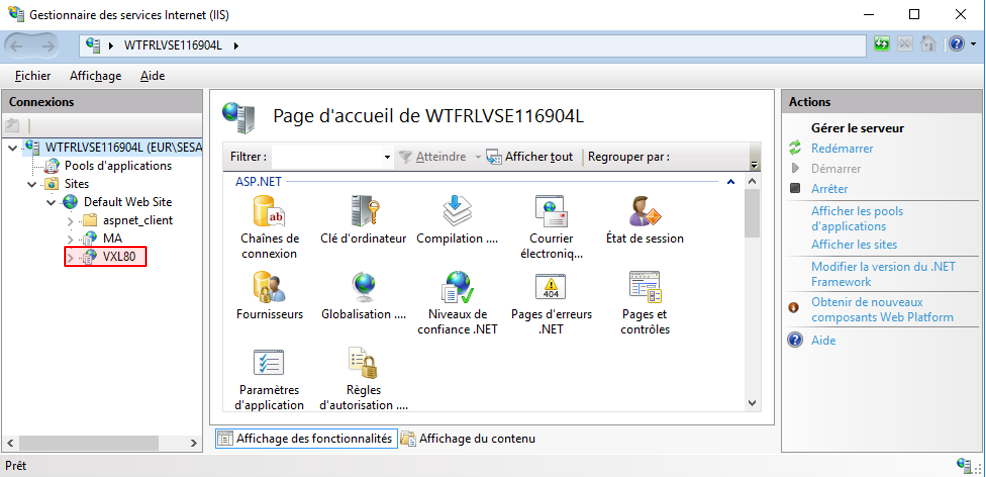
After installation, you can see a folder VXL80 on IIS
For HMIG5UL8A, IIS and MobileAccessSetup are already installed, however, in some cases, IIS is not correctly start. To solve it, follow the FAQ#FA367376
In your project (builder side)
After project creation, you have to publish the web interface
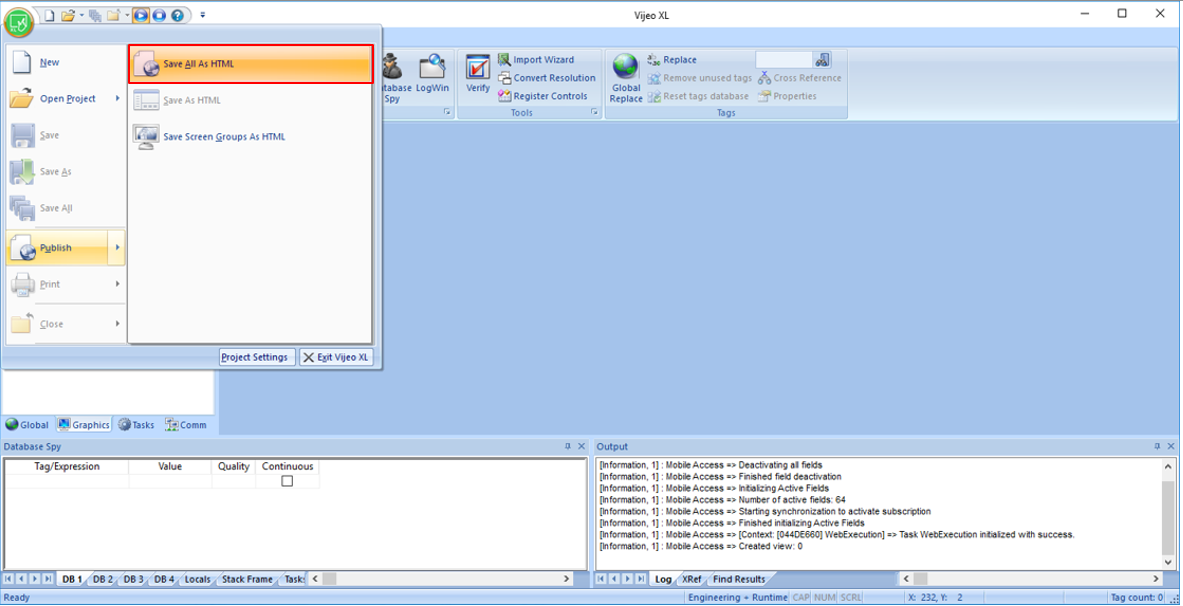
For, click on Publish and Save All as HTML
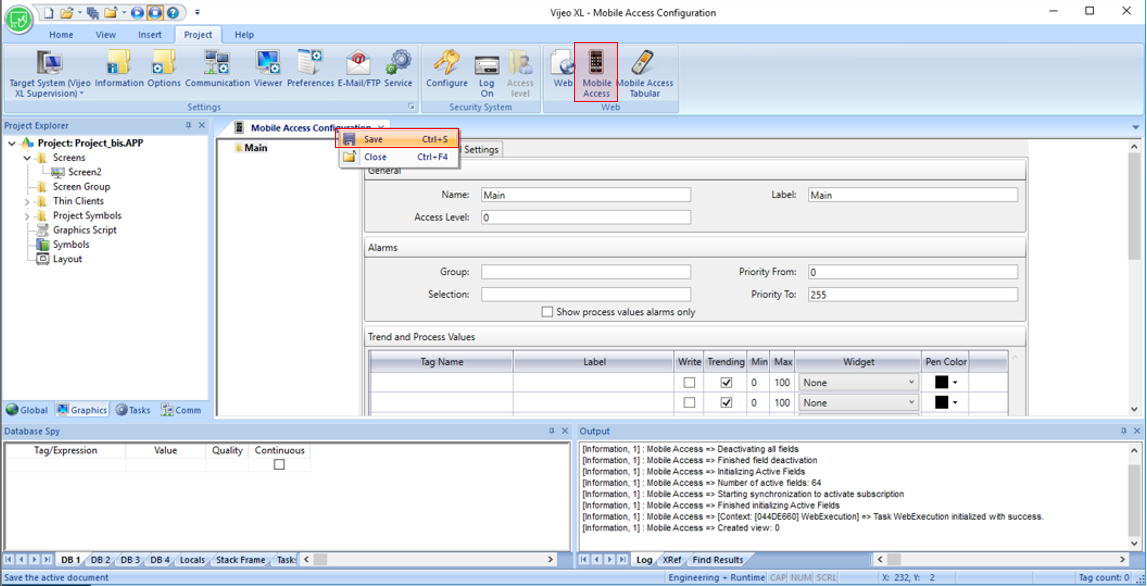
Then to activate the mobile access, click on Mobile Access and save the page Mobile Access Configuration.
In the target (runtime)
To run webgate, IIS have to be installed on the computer where Ecostruxure Machine Scada Expert runtime is running. If IIS is not installed, first, you have to install it
Then Install MobileAccessSetup located in ...\Schneider Electric\Vijeo XL v8.0\Redist\WebAddOn\IIS
After installation, you can see a folder VXL80 on IIS
For HMIG5UL8A, IIS and MobileAccessSetup are already installed, however, in some cases, IIS is not correctly start. To solve it, follow the FAQ#FA367376
In your project (builder side)
After project creation, you have to publish the web interface
For, click on Publish and Save All as HTML
Then to activate the mobile access, click on Mobile Access and save the page Mobile Access Configuration.
Now the web interface is correctly set to can download the project in the target
To connect the web interface, several possibilities
For all method, by default, the user is "guest" and no password
http:// IP ADDRESS/VXL80/
You can customize this interface in the builder, in the menu Mobile Access configuration
Or can connect directly to a specific panel or group of panel
For a specific panel http:// IP ADDRESS/VXL80/?guestuser=1&screen=screen_name.scc
For a panel group http:// IP ADDRESS/VXL80/?guestuser=1&screen=screen_group_name.sg