


Installing the SQL Express 2016 on Windows 10 fails. Wait on the Database Engine recovery handle failed.
Issue
- Installing the SQL Express 2016 included in the PME2020 iso file (13.1.4001.0) or directly downloaded from the Microsoft download center fails with error messages such as:
“Component name: SQL Server Database Engine Services Instance Features
Component error code: 0x851A001A
Error description: Wait on the Database Engine recovery handle failed. Check the SQL Server error log for potential causes.”
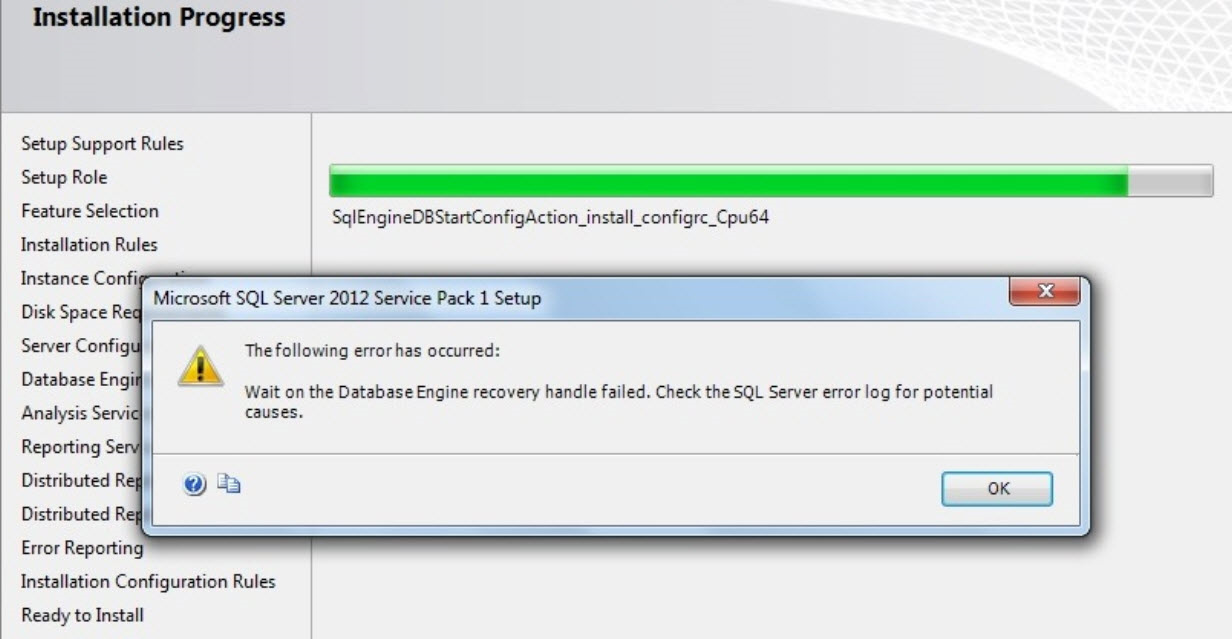
Component error code: 0x851A001A
Error description: Wait on the Database Engine recovery handle failed. Check the SQL Server error log for potential causes.”
- Installing the SQL Express 2016 downloaded from the Microsoft download center fails with error message such as
“SQL SERVER – Script level upgrade for database ‘master’ failed because upgrade step msdb110_upgrade.sql encountered error 926, state 1, severity 25”
- The SQL service won’t start normally.
- The SQL service can be forced to start with trace flag 902 to bypass upgrade script and fix the cause of upgrade script failures (See link 2)
Environment
- Windows 10 Professional (x64 bits)
- Microsoft Windows 10 Pro (10.0.18363)
Cause
- Since the April Windows 10 update there has been an option "Beta: Use Unicode UTF-8 for worldwide language support" when setting regions.
- SQL Express 2016 did not install correctly, “something" broke in such a way that the SQL Server master database was not able to come online, and the SQL services did not start properly.
Resolution
- Uninstall SQL Express
- Go to the control panel
- Click on regional settings
- Go to the administrative tab.
- Go to the language for non-unicode programs “Change system locale…”settings button
- Uncheck the checkbox use utf-8 for the language support in all the world
- When prompted, restart your computer. Then, you can deploy the SQL installation and should run successfully
- Additional information: You might need to make sure the current windows user has been granted privileges to deploy the installation. Refer to link 3 for more information.
Links
- https://dba.stackexchange.com/questions/217759/error-starting-sql-server-2017-service-error-code-3417
- https://blog.sqlauthority.com/2018/11/06/sql-server-script-level-upgrade-for-database-master-failed-because-upgrade-step-msdb110_upgrade-sql-encountered-error-926-state-1-severity-25/
- https://serverfault.com/questions/646691/user-in-administrators-group-has-not-the-same-rights-as-administrator-win-2012