


how to install multiple rapsody software version of the same country
Use Case:- To install two or more Rapsody software versions of same country in one machine.
Pre-requisites:
1) Operating System : Windows 10
2) Browser : Internet Explorer 11.0 or later (mandatory for authentication)
3) Internet access should be available.
4) Display : Display zoom for the PC should be set at 100%
5) Administrator rights : User must have Admin rights to be able to use EcoStruxure Power Build Rapsody.
Note: Users can only install multiple versions in same machine with ascendant (lower to higher) versions. In case if user already have a higher version in his/her machine and wants to install the lower version of Rapsody then user should uninstall the existing higher version and then install lower version first and then higher version of Rapsody software, following below steps.
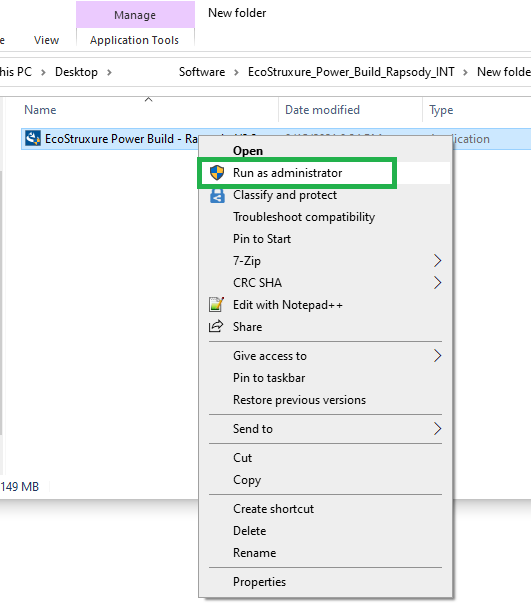
Step1: Right click on the Rapsody software .exe file and Run as Administrator.
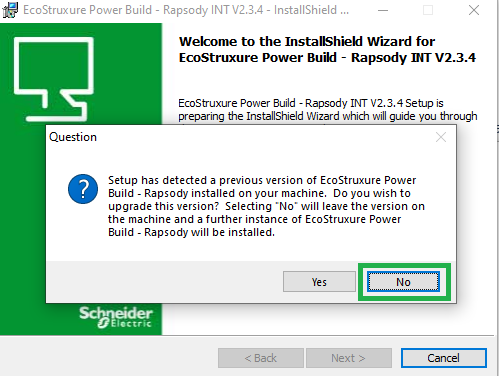
Step2: Installation of Rapsody software will begin. You will receive a prompt as below, please select “No”
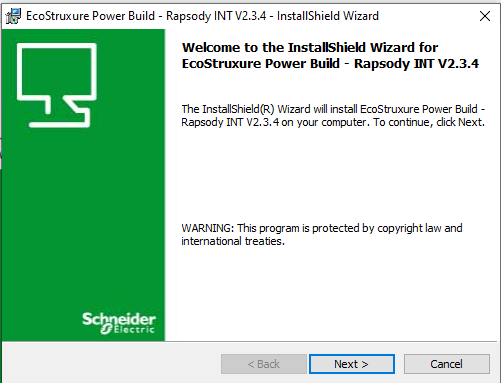
Step3: Click “Next”
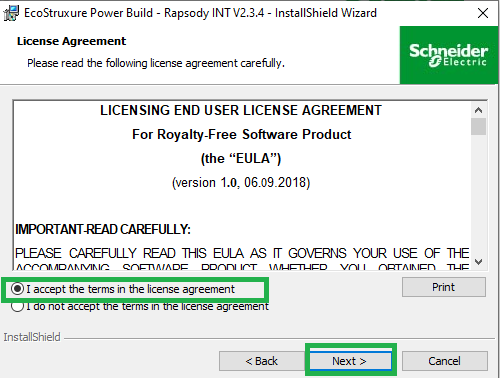
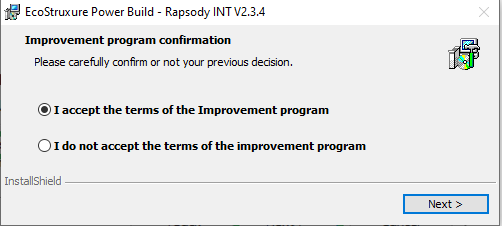
Step4: On License Agreement and Improvement Program window, please select the first option “Accept the terms for this license agreement” and click “Next”
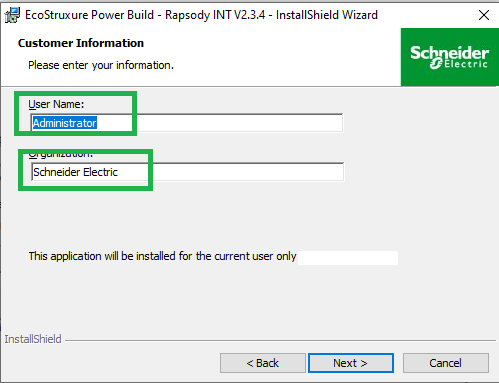
Step5: Select the appropriate Username and Organization and click “Next”
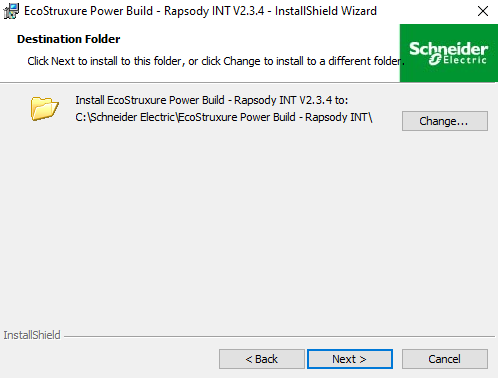
Step6: Click Next
Step7: If you see the below message after clicking Next in Step6. Please click “Ok’ on the popup message and then Click on “Change”.
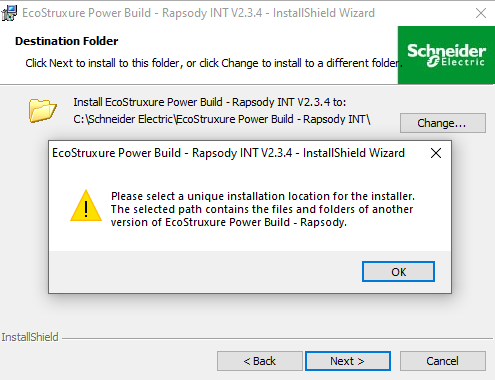
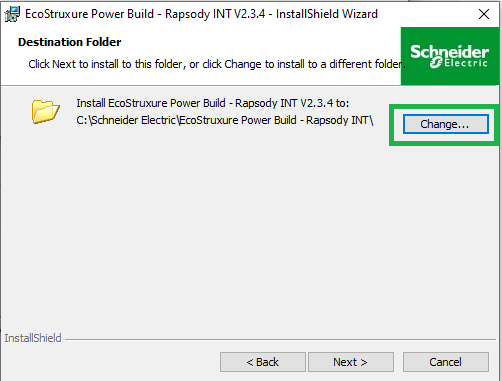
And rename the folder name other than already existing as highlighted below and click Ok.
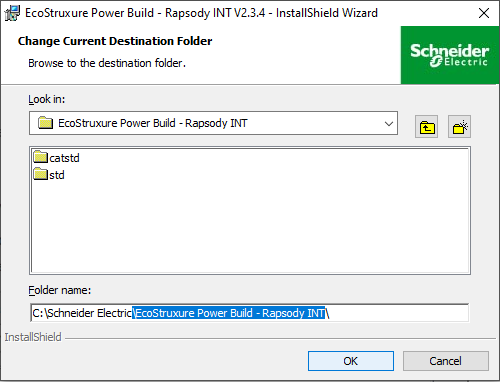
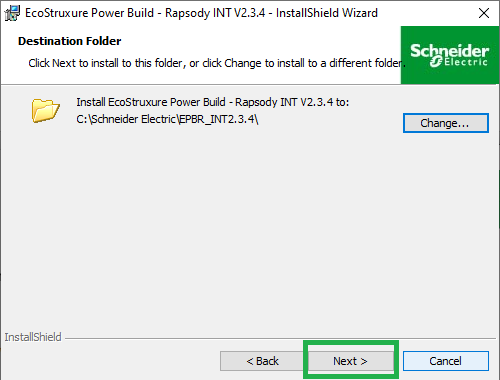
Step8: Click Next and then Install to Finish the installation.
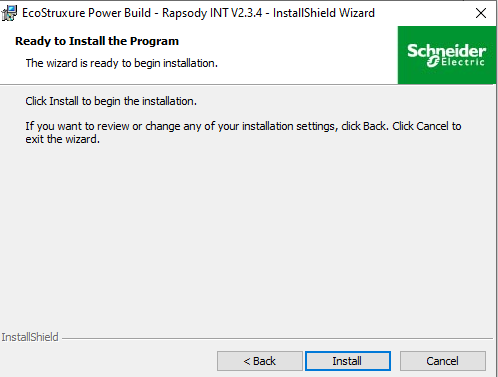
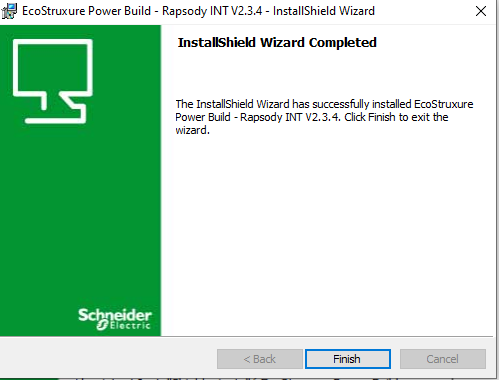
Now after successful installation, you should be able to use the Rapsody Software.
Pre-requisites:
1) Operating System : Windows 10
2) Browser : Internet Explorer 11.0 or later (mandatory for authentication)
3) Internet access should be available.
4) Display : Display zoom for the PC should be set at 100%
5) Administrator rights : User must have Admin rights to be able to use EcoStruxure Power Build Rapsody.
Note: Users can only install multiple versions in same machine with ascendant (lower to higher) versions. In case if user already have a higher version in his/her machine and wants to install the lower version of Rapsody then user should uninstall the existing higher version and then install lower version first and then higher version of Rapsody software, following below steps.
Step1: Right click on the Rapsody software .exe file and Run as Administrator.
Step2: Installation of Rapsody software will begin. You will receive a prompt as below, please select “No”
Step3: Click “Next”
Step4: On License Agreement and Improvement Program window, please select the first option “Accept the terms for this license agreement” and click “Next”
Step5: Select the appropriate Username and Organization and click “Next”
Step6: Click Next
Step7: If you see the below message after clicking Next in Step6. Please click “Ok’ on the popup message and then Click on “Change”.
And rename the folder name other than already existing as highlighted below and click Ok.
Step8: Click Next and then Install to Finish the installation.
Now after successful installation, you should be able to use the Rapsody Software.