


How to access the localized version of EcoStruxure Power Design-Ecodial after UIMS is decommissioned
Issue: To access the older version of .EAC file of EcoStruxure Power Design-Ecodial after UIMS is decommissioned.
Prodcut line: EcoStruxure Power Design-Ecodial
Cause: You might be facing issues while logging in to older .EAC files, you will not be redirected to UIMS Login page of localised EcoStruxure Power Design- Ecodial.
Resolution:
Please follow the below steps to get the authentication done locally for Localized versions of EcoStruxure Power Design.
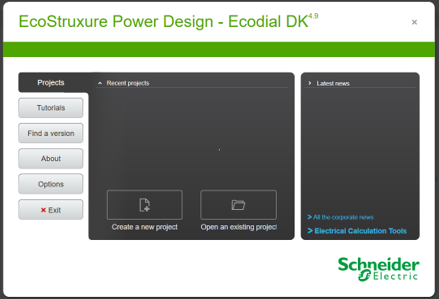
Step-1 : Launch the localized version of EcoStruxure Power Design-Ecodial, application closes automatically. But the required folder gets created on appdata folder.
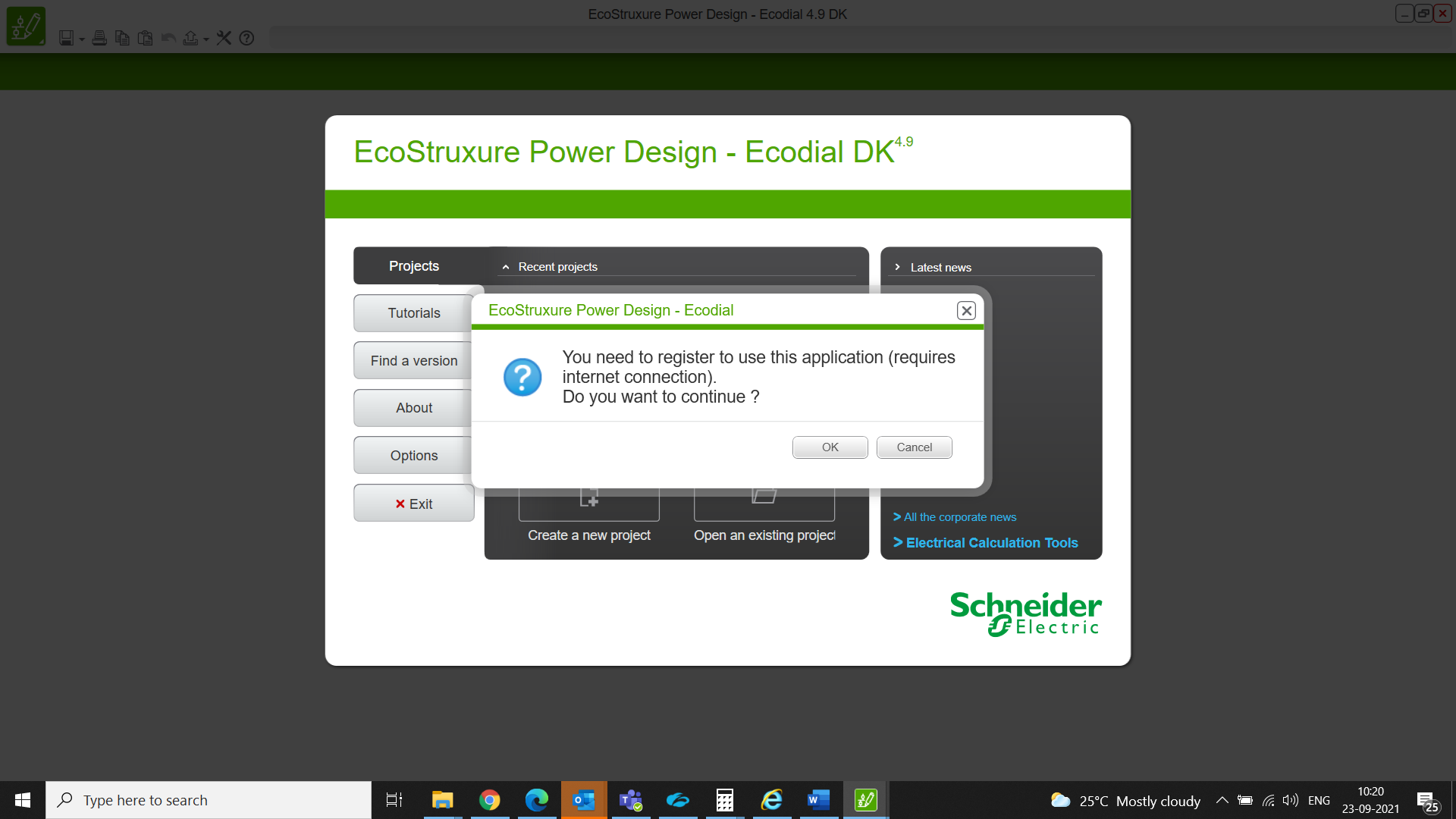
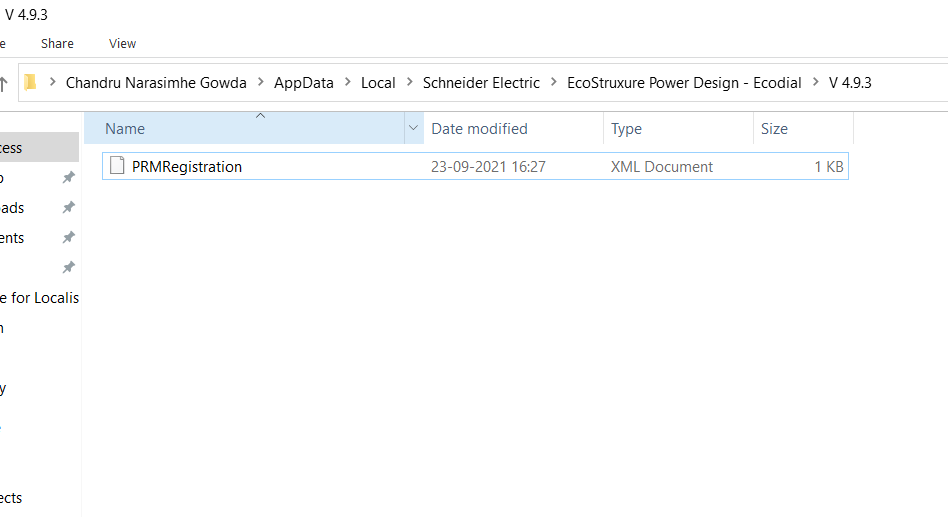
Step-2 : EcoStruxure Power Design-Ecodial application closes automatically and the folder gets created as mentioned in the below path.
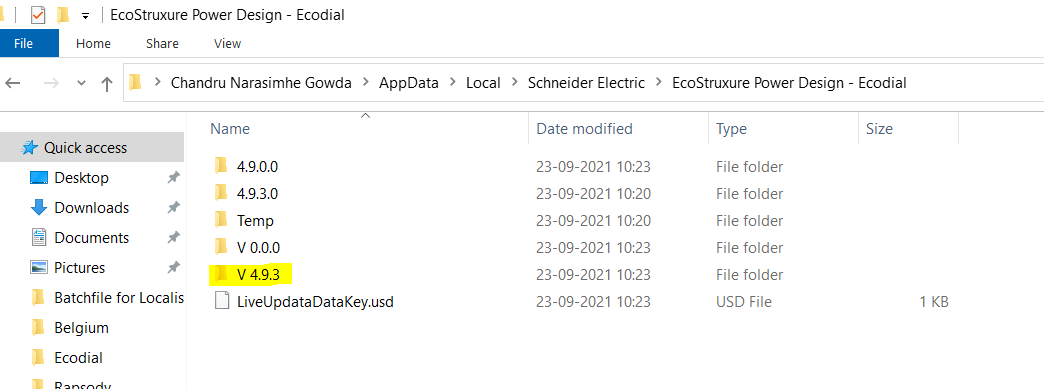
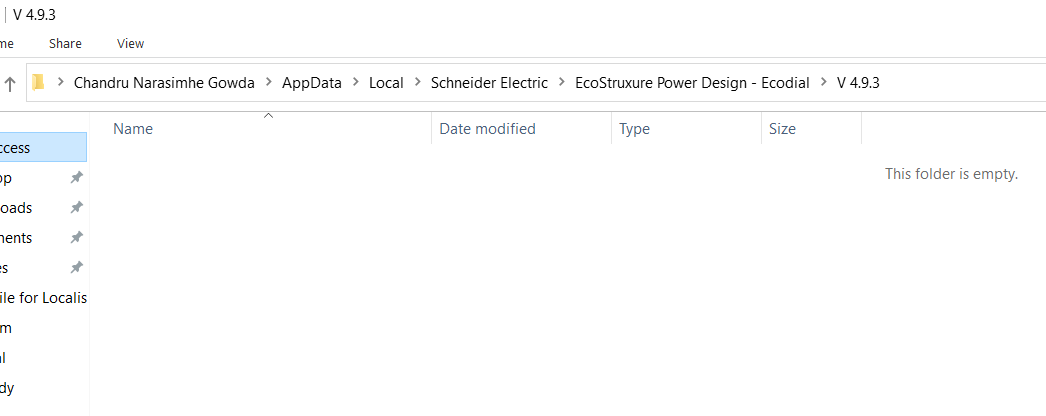
Step-3: Please note that the created folder is empty inside V.4.9.3.
Step-4: Launch the PRMlogin.exe. set up file. This set up file is available with the respective country CCC.
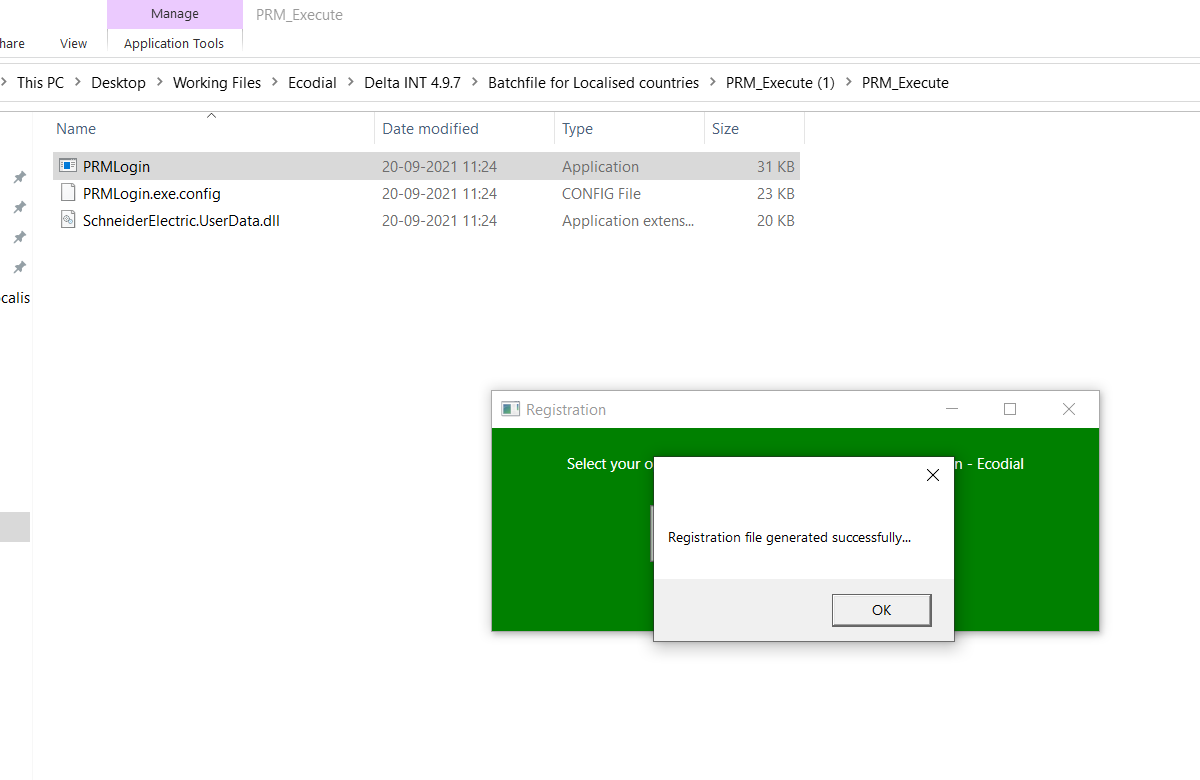
Step-5: PRMRegistration.xml file got created in the required folder.
Step-6: Now, we can access localized EcoStruxure Power Design-Ecodial.
Prodcut line: EcoStruxure Power Design-Ecodial
Cause: You might be facing issues while logging in to older .EAC files, you will not be redirected to UIMS Login page of localised EcoStruxure Power Design- Ecodial.
Resolution:
Please follow the below steps to get the authentication done locally for Localized versions of EcoStruxure Power Design.
Step-1 : Launch the localized version of EcoStruxure Power Design-Ecodial, application closes automatically. But the required folder gets created on appdata folder.
Step-2 : EcoStruxure Power Design-Ecodial application closes automatically and the folder gets created as mentioned in the below path.
Step-3: Please note that the created folder is empty inside V.4.9.3.
Step-4: Launch the PRMlogin.exe. set up file. This set up file is available with the respective country CCC.
Step-5: PRMRegistration.xml file got created in the required folder.
Step-6: Now, we can access localized EcoStruxure Power Design-Ecodial.