


Why does EcoStruxure Control Expert Classic v15.3 ask me to log in?
Whenever you launch EcoStruxure Control Expert Classic v15.3, a Username and Password prompt appears.
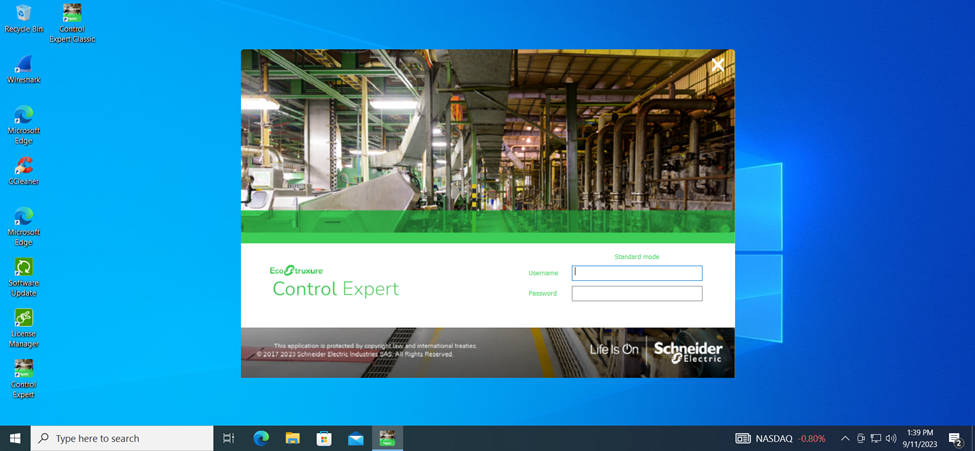
There are three possible reasons why EcoStruxure Control Expert Classic v15.3 is asking for a username and password.
Reason 1:
The SecurityAdmin profile was not properly created after installation.
Before performing the following steps, ensure the logged in user has Administrator privileges.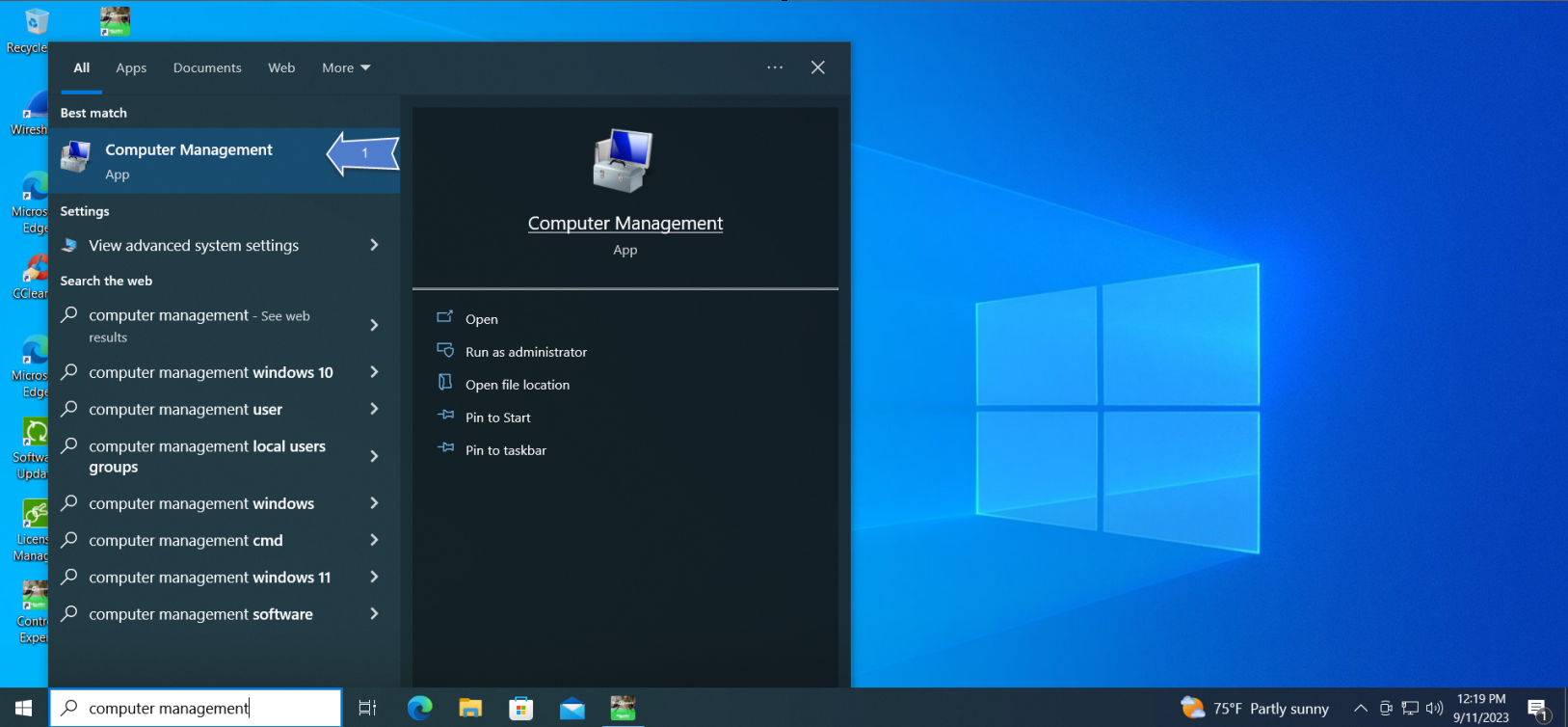

Reason 2:
The default password for the SecurityAdmin profile has expired.
Before performing the following steps, ensure the logged in user has Administrator privileges.

Launch EcoStruxure Control Expert Classic
Reason 3:
SecurityAdmin profile is not part of the 'Log on as a service' policy. This may be due to local IT removing SecurityAdmin from the 'Log on as a service' policy.
Before performing the following steps, ensure the logged in user has Administrator privileges. 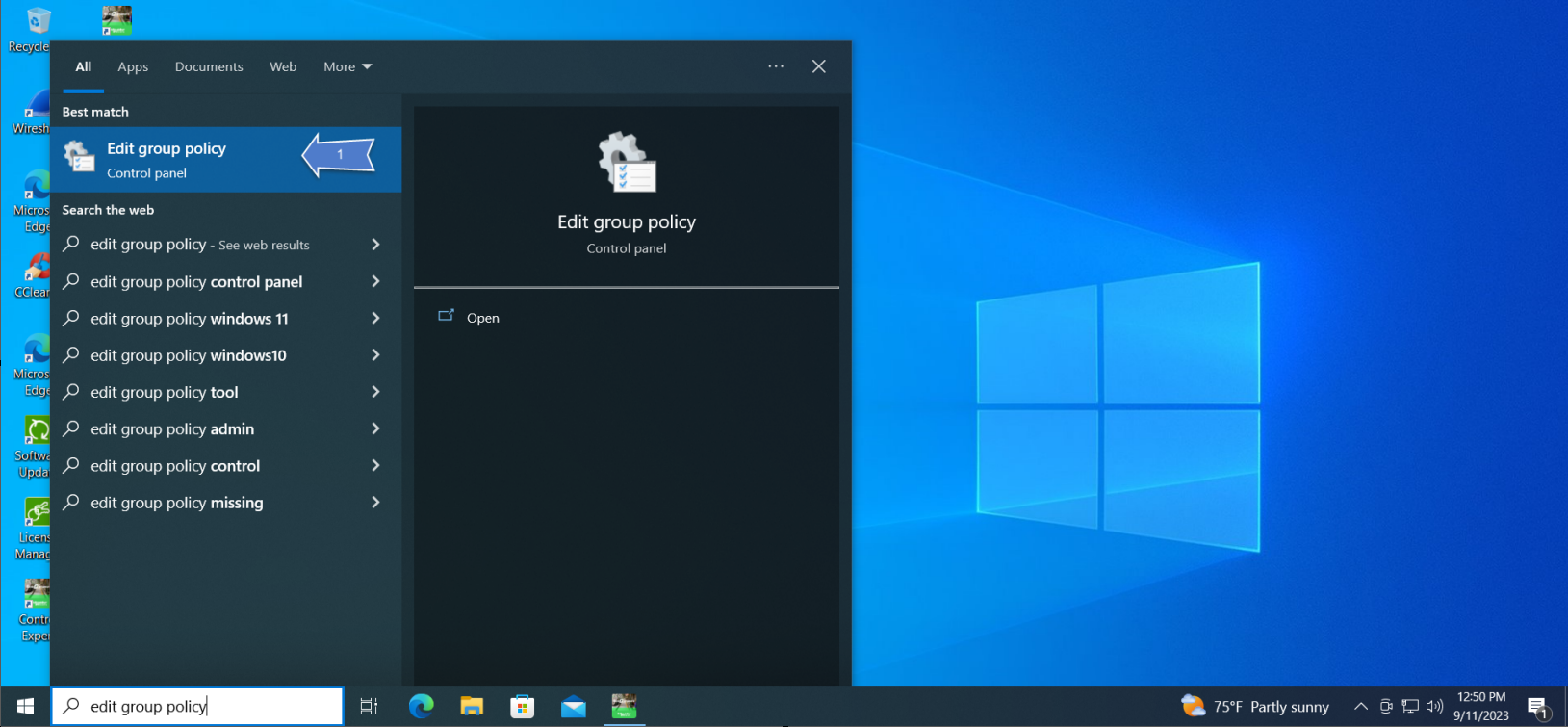
Launch EcoStruxure Control Expert Classic
Reason 4:
PC does not have Local Users and Groups Management Console.
Use a 3rd party tool, such as lusrmgr.exe, to enable the Local Users and Groups Management Console. Once the Local Users and Groups Management Console is enabled and available, re-install EcoStruxure Control Expert. If issue persists follow steps detailed in Reasons 1-3.
Reason 5:
There is an inconsistency in the security database, please contact Support for ControlExpert_V153_HF007 installation.
There are three possible reasons why EcoStruxure Control Expert Classic v15.3 is asking for a username and password.
Reason 1:
The SecurityAdmin profile was not properly created after installation.
Before performing the following steps, ensure the logged in user has Administrator privileges.
- Search Computer Management in the start menu (Run as Administrator)
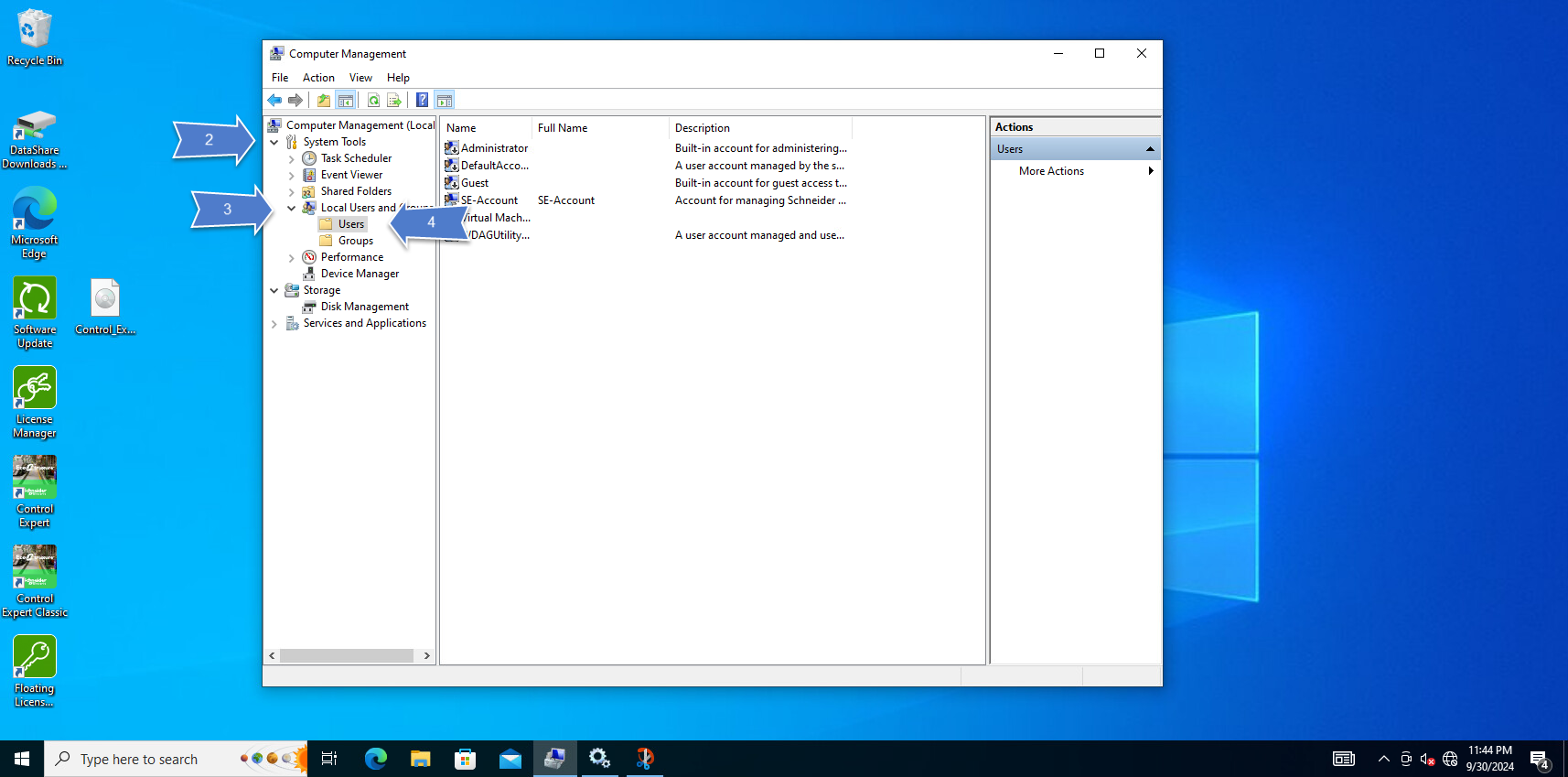
- Expand the System Tools
- Expand the Local Users and Groups
- Click 'Users'
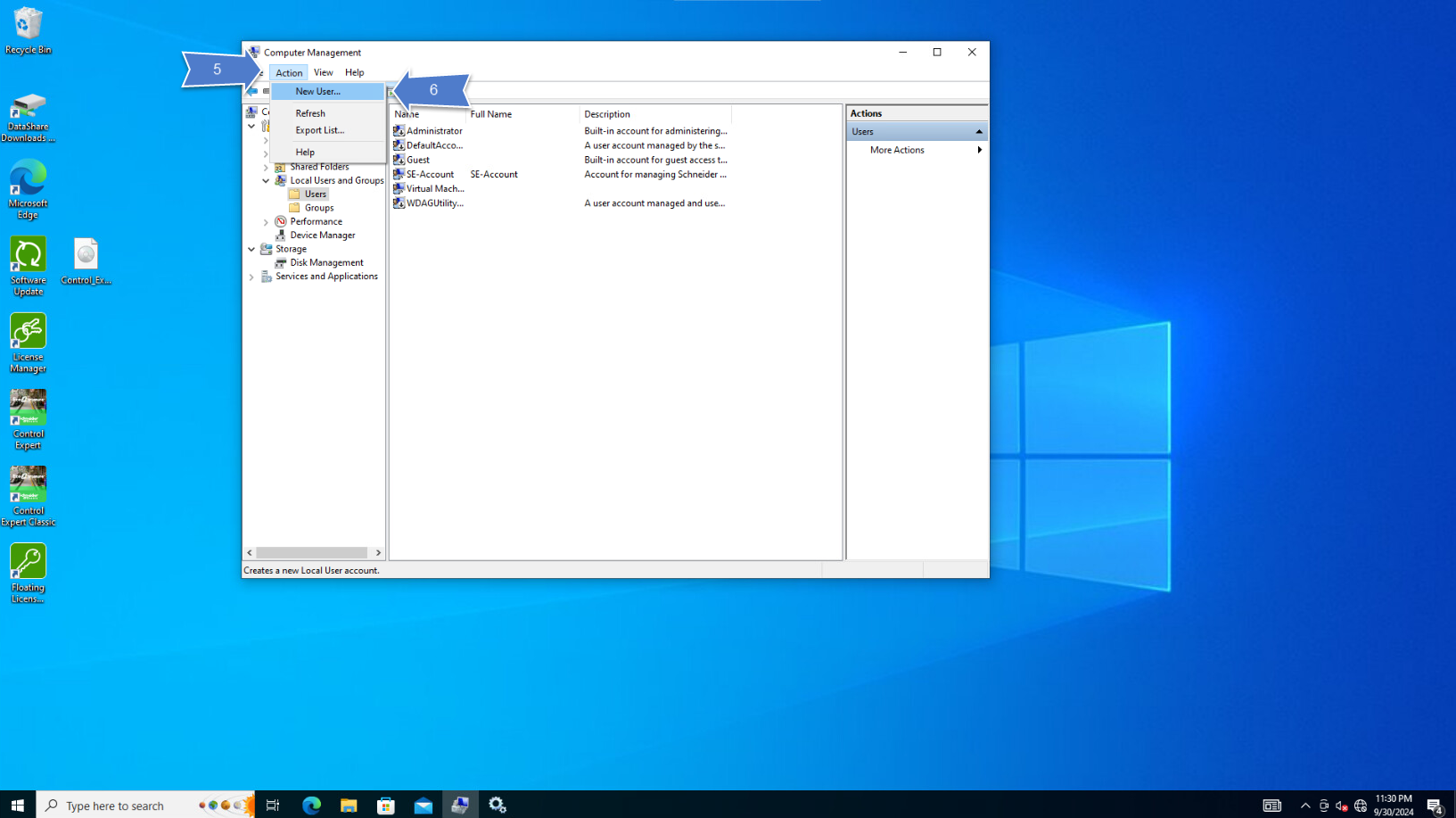
- Click 'Actions'
- Click 'New Users...'
- User name: SecurityAdmin
- Full name: SecurityAdmin
- Description: Schneider Electric user for M580 - User created
- Password: Strong password
- Default password: Azertyuiop12!
- Confirm Password: re-enter strong password
- Unselect 'user must change password at next login'
- Select 'Password never expires'
- Click 'Create'
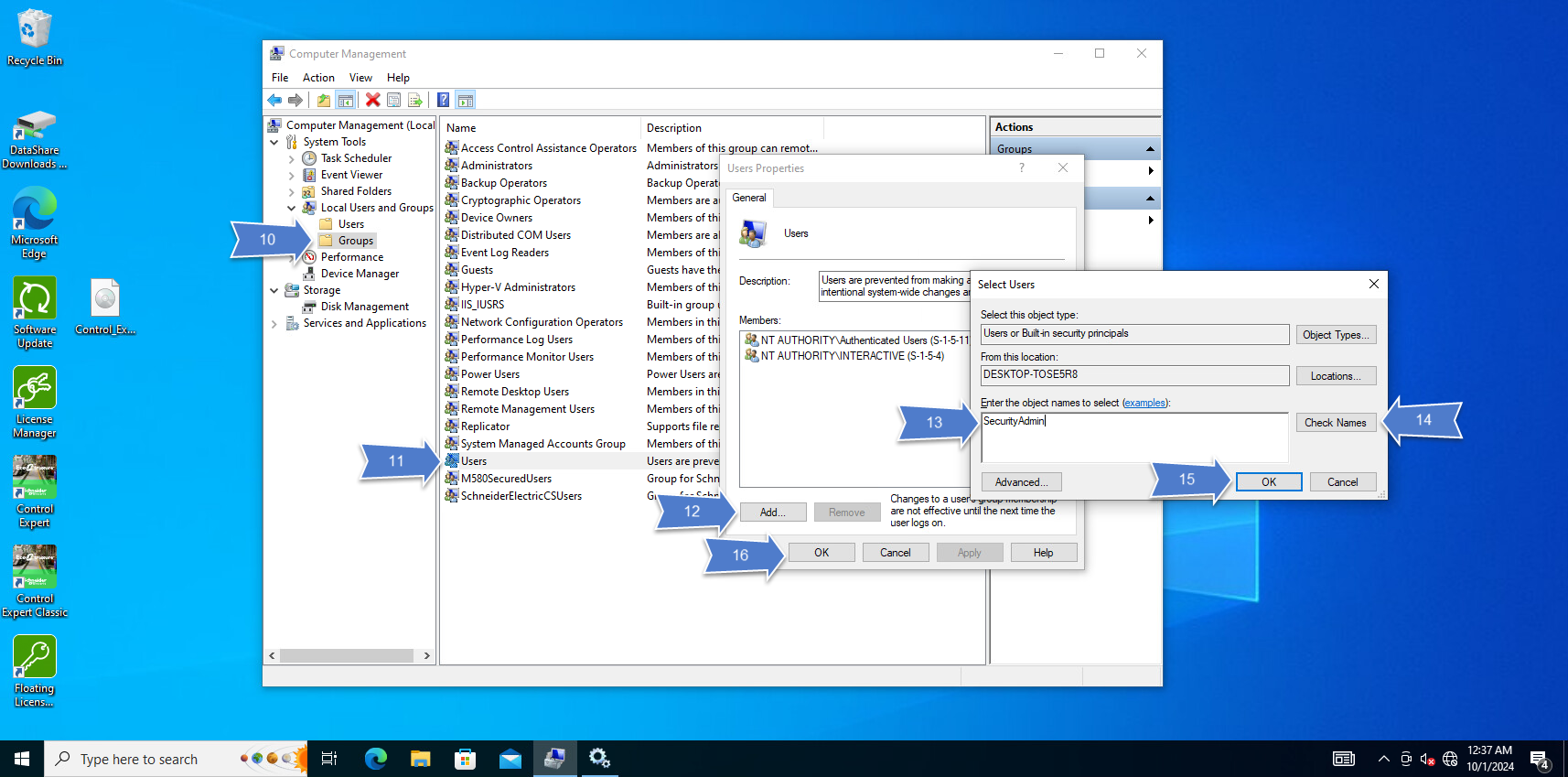
- Click 'Groups'
- Double click 'Users'
- Click 'Add'
- Enter SecurityAdmin
- Click 'Check Name'
- Click 'OK'
- Click 'Apply' and 'Ok'
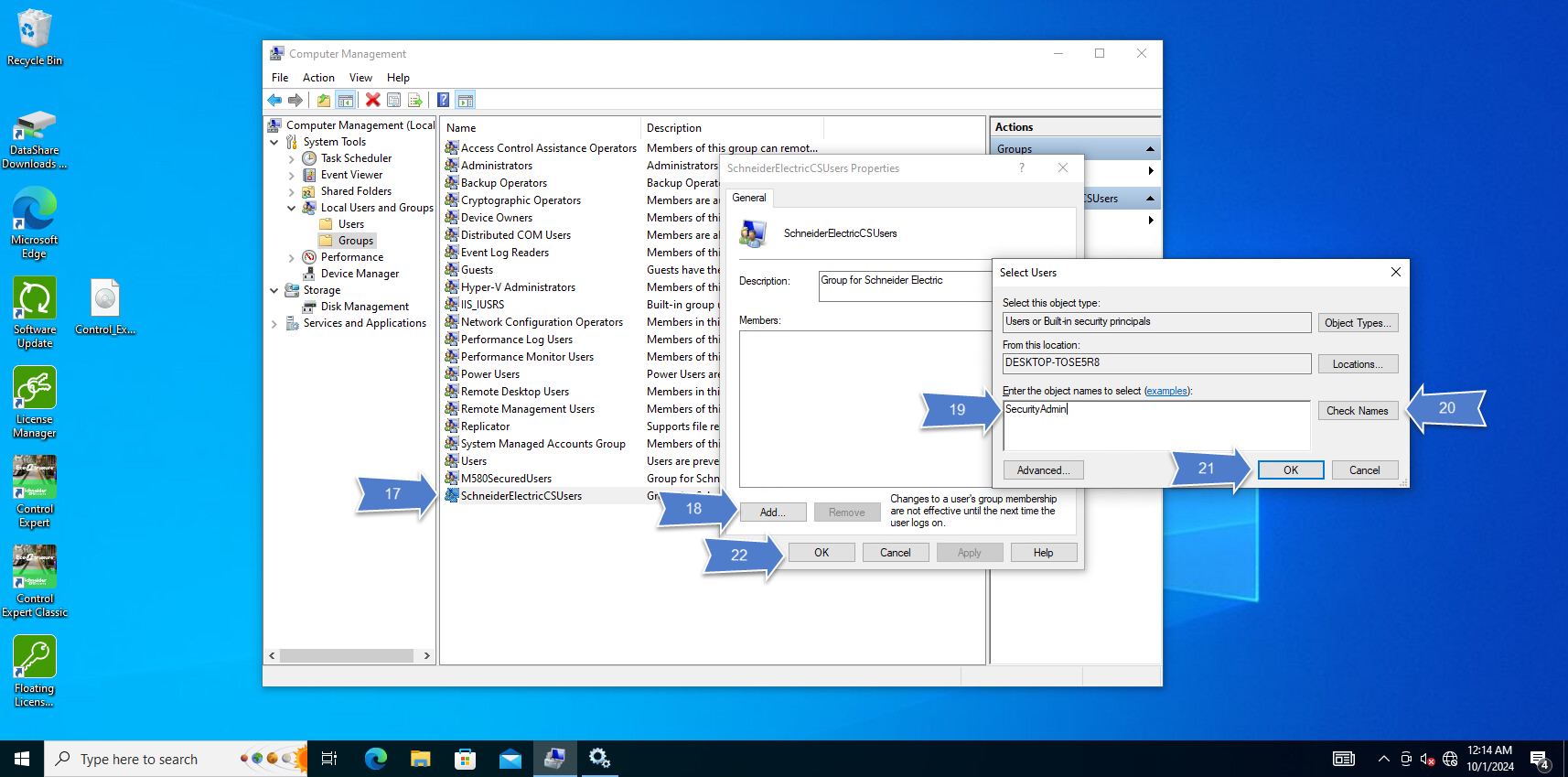
- Double click 'SchneiderElectricCSUsers'
- Click 'Add'
- Enter SecurityAdmin
- Click 'Check Name'
- Click 'OK'
- Click 'Apply' and 'Ok'
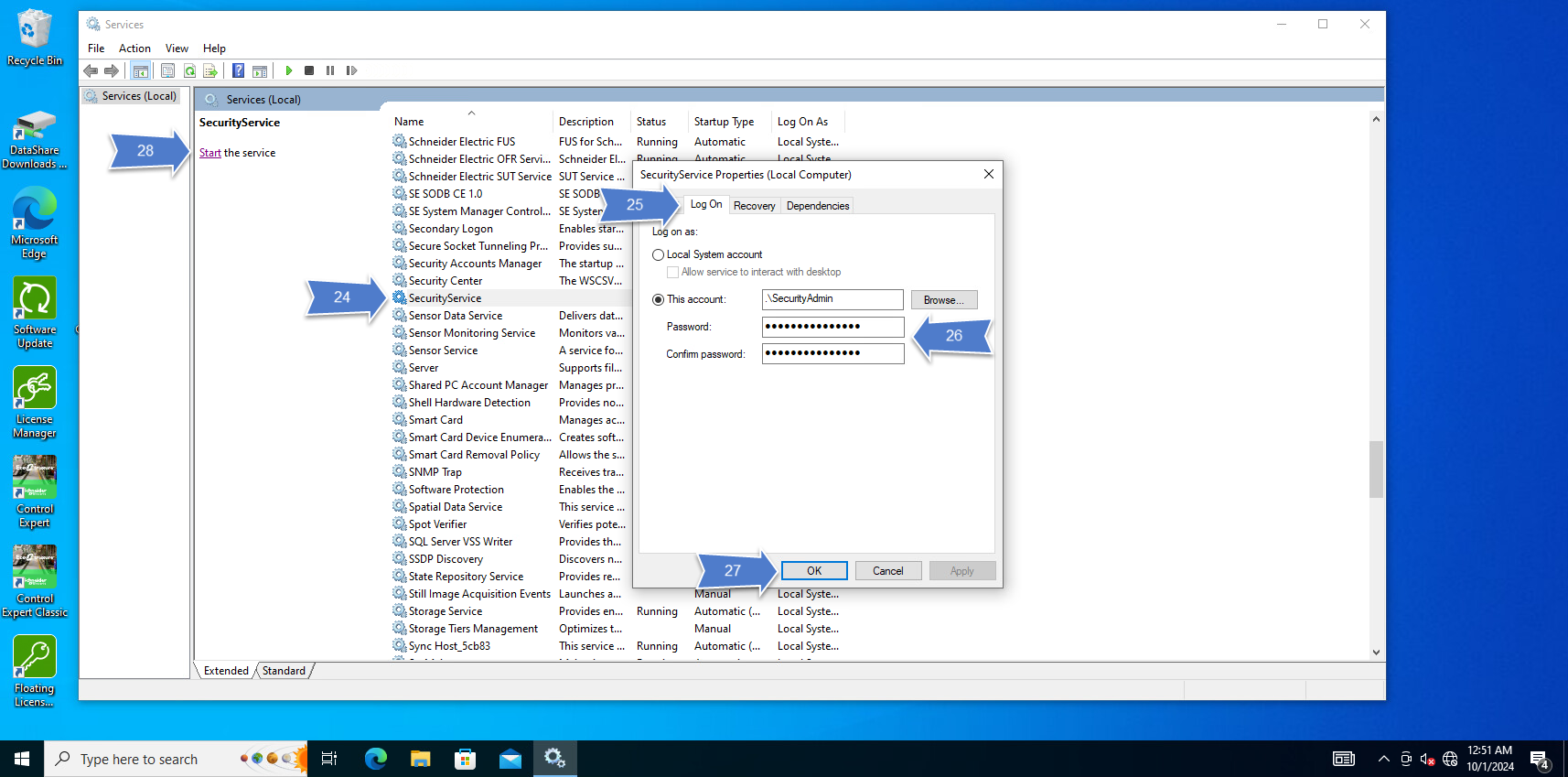
- Search Services in start menu (Run as Administrator)
- Double click on SecurityServices
- Click 'Log on' tab
- Enter the password used in step 6.4
- Click 'Ok'
- Click on 'Start'
- Perform steps in detailed in Reason 3
- Restart PC
Reason 2:
The default password for the SecurityAdmin profile has expired.
Before performing the following steps, ensure the logged in user has Administrator privileges.
- Search Computer Management in the start menu (Run as Administrator)
- Expand the System Tools
- Expand the Local Users and Groups
- Click on 'Users'
- Double click on SecurityAdmin
- Check the box for 'Password never expiries'
- Click 'Apply'
- Click 'OK'
Launch EcoStruxure Control Expert Classic
Reason 3:
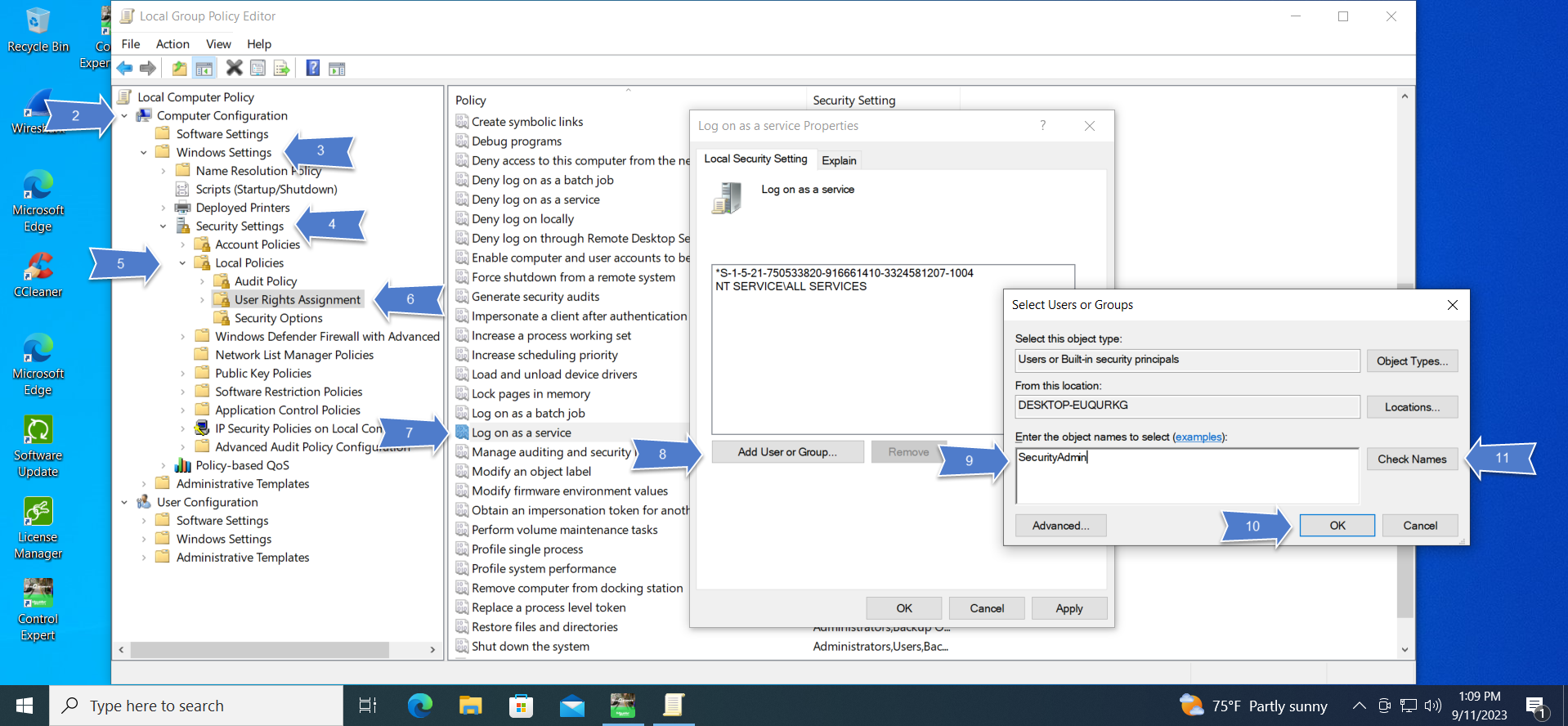
SecurityAdmin profile is not part of the 'Log on as a service' policy. This may be due to local IT removing SecurityAdmin from the 'Log on as a service' policy.
Before performing the following steps, ensure the logged in user has Administrator privileges.
- Search 'Edit group policy' in the start menu
- Expand the Computer Configuration
- Expand the Windows Settings
- Expand the Security Settings
- Expand the Local Policies
- Click on User Rights Assignment
- Double click on Log on as a service
- Click 'Add User or Group'
- In the text box enter SecurityAdmin
- Click 'Check Names'
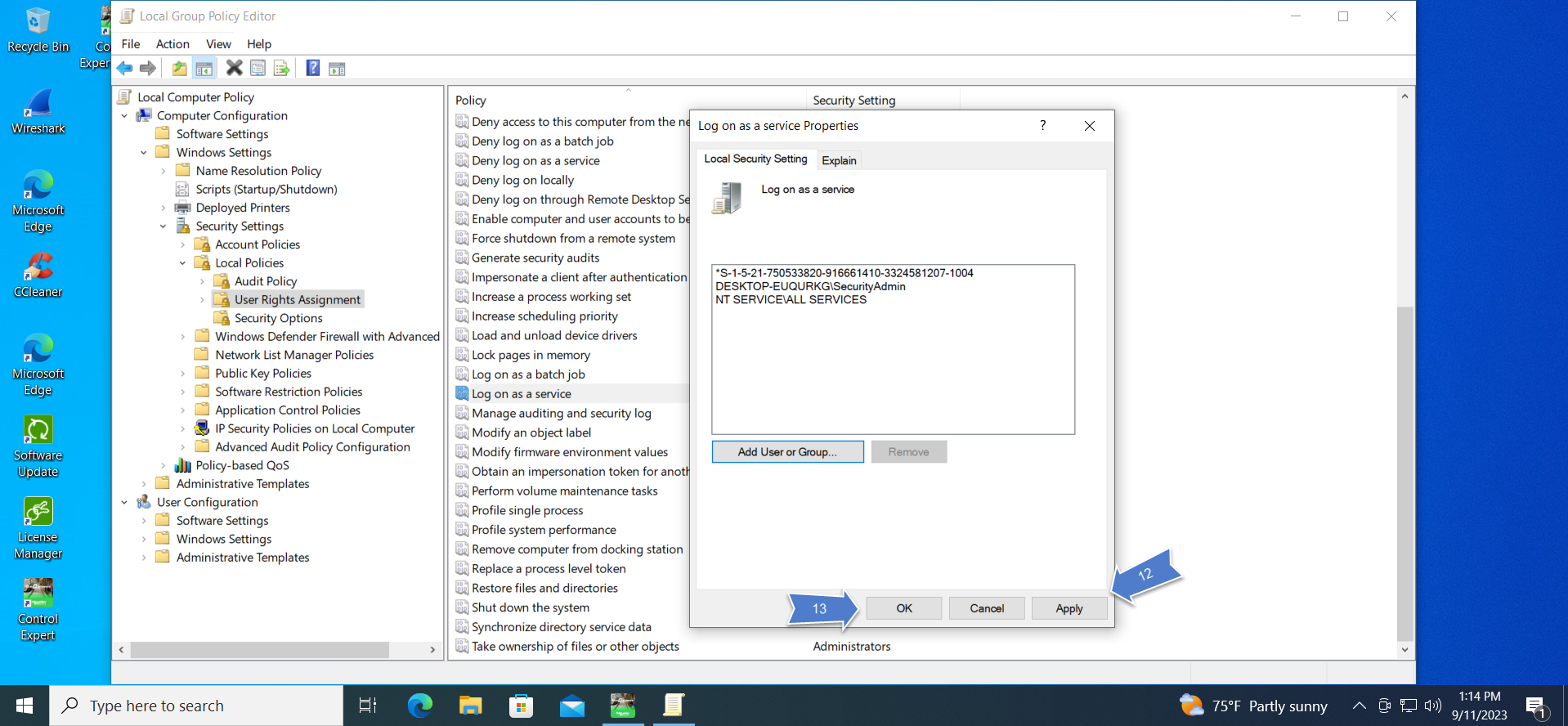
- Click 'OK'
- Click 'Apply'
- Click 'OK'
- Restart PC
Launch EcoStruxure Control Expert Classic
Reason 4:
PC does not have Local Users and Groups Management Console.
Use a 3rd party tool, such as lusrmgr.exe, to enable the Local Users and Groups Management Console. Once the Local Users and Groups Management Console is enabled and available, re-install EcoStruxure Control Expert. If issue persists follow steps detailed in Reasons 1-3.
Reason 5:
There is an inconsistency in the security database, please contact Support for ControlExpert_V153_HF007 installation.