


How to change the operating mode (Standard to Secured and vice versa) of the BMENOR2200H module?
In order to change the BMENOR2200H module from Standard mode to Secured mode. Or from the Secured mode to the Standard module the following steps must be followed.
NOTE:
NOTE:
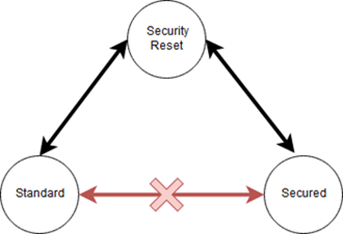
- It is not possible to change the mode directly from Secured to Standard and Standard to Secured. The module must be Factory Reset first in order to change the operating mode.
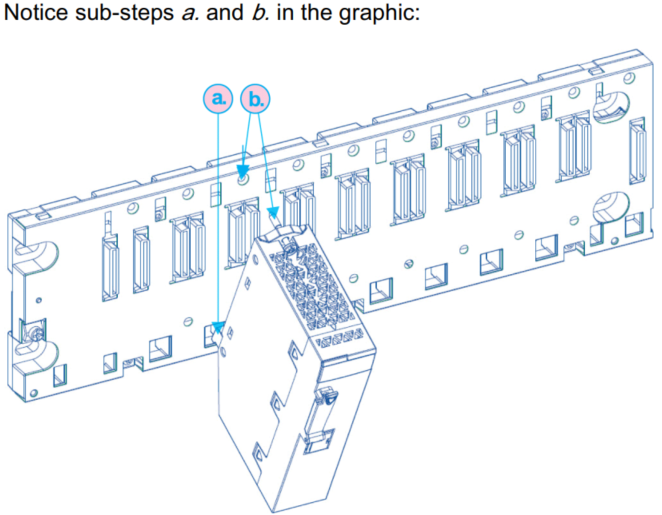
- Removed the module from the backplane.
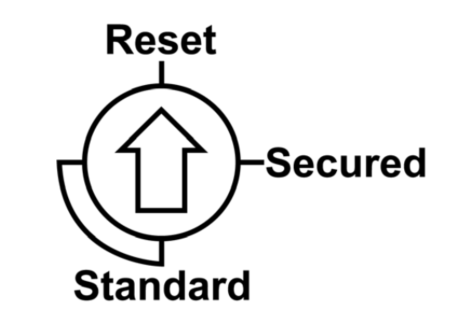
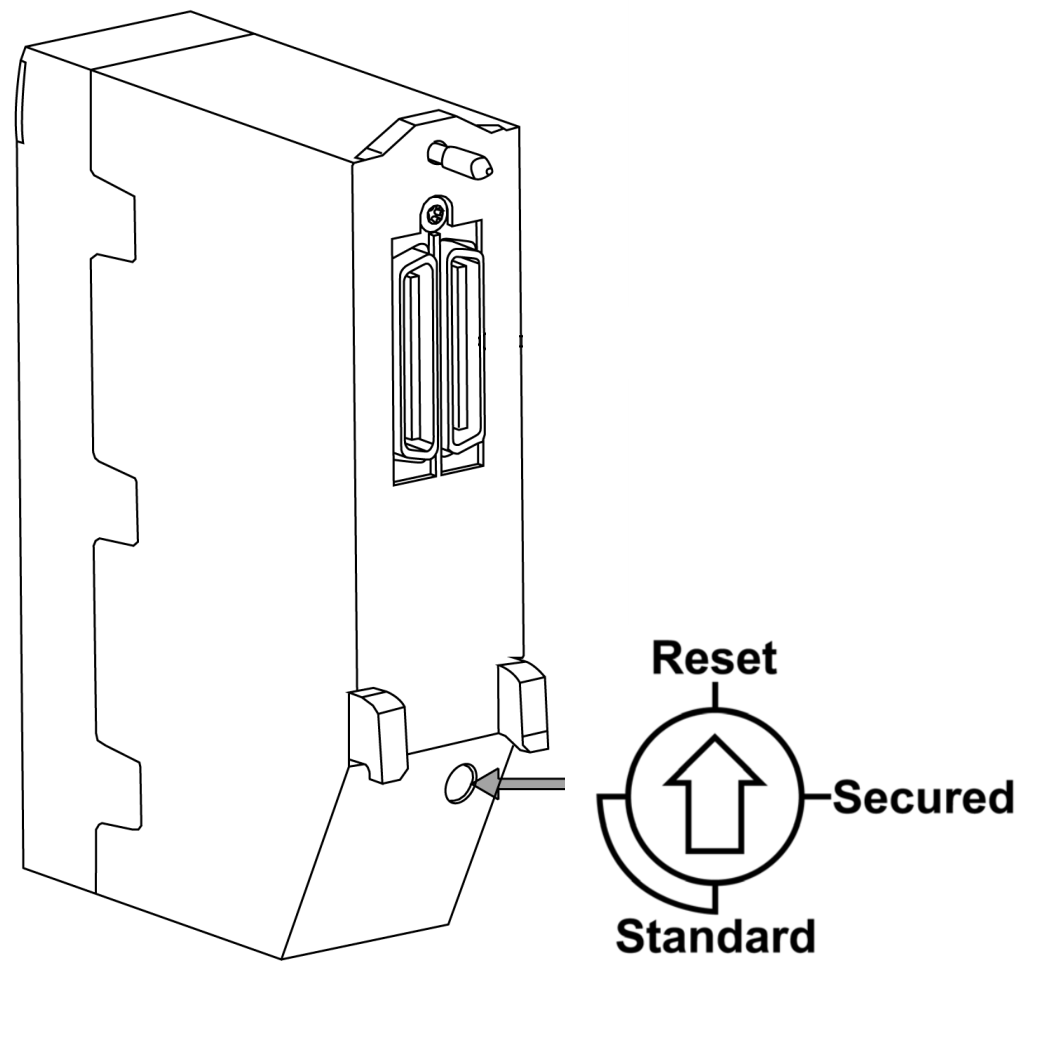
- Using the rotatory switch from the behind of the module and changed its position to the RESET. (Module will enter into the Factory reset state).
- Put back the module into the backplane and wait for the LEDs to lit ON. (The LED's indicated that the existing configuration is cleared and the module is now in Factory Reset state)
- Removed the module from the backplane.
- Using the rotatory switch from the behind of the module and change its position to the SECURED.
- Put back the module into the backplane.
- Now the module operates in a Secured Mode.
- Same steps are needed when changing from Secured mode to the Standard mode.