


Hur kan vi hjälpa dig idag?
How to upload a pre configured CID/IID file to a MiCOM relay?
Issue
Cannot upload a pre configured CID/IID file to a MiCOM relay.
Product Line
MiCOM Relays
Environment
IEC61850 communications
Cause
MiCOM relays expects a MCL file for IEC61850 configuration settings.
Resolution
Unfortunately, a CID/IID file cannot be uploaded directly to a MiCOM relay. The CID/IID file needs to be converted into an MCL file before the configuration settings can be uploaded to the relay.
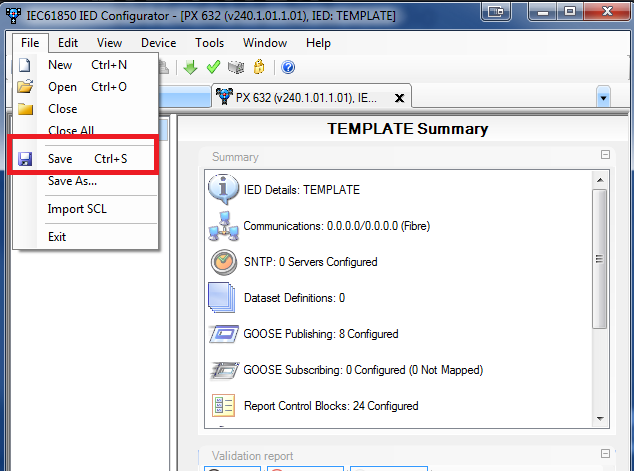
This can be done by following the below steps:
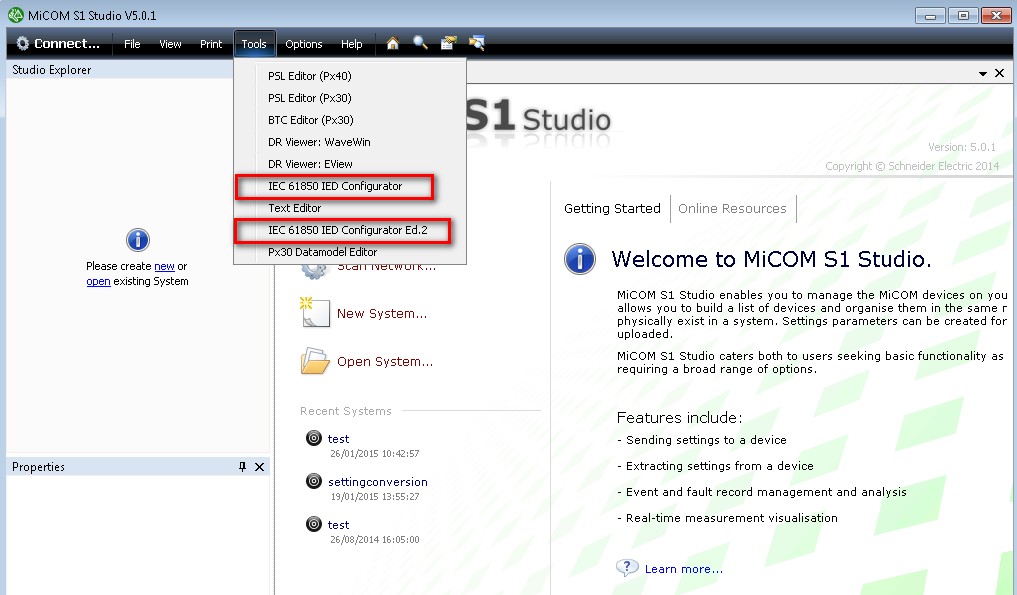
1. Depending on the version of IEC61850 edition being used select the appropriate configurator from Tools.
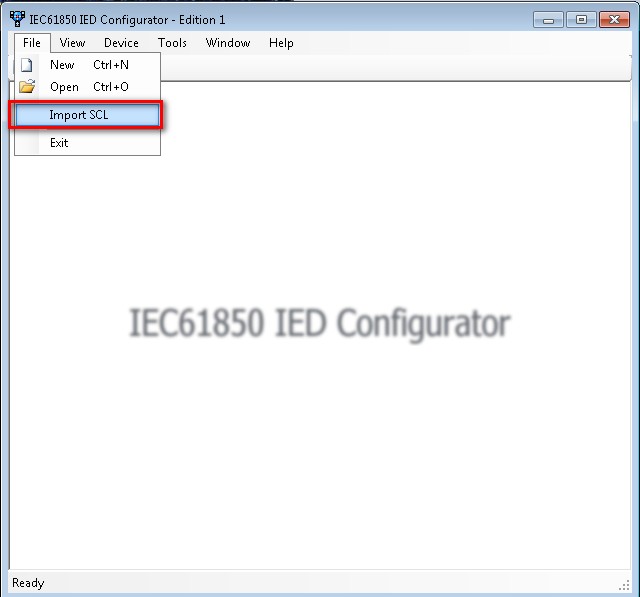
2. Once the configurator is open, go to File--> Import SCL
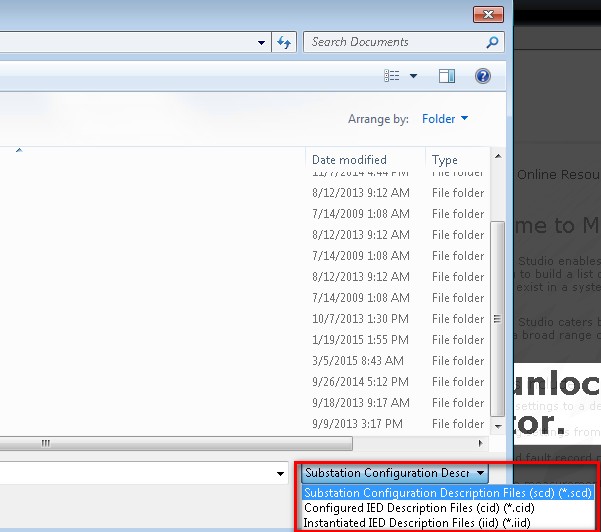
3. Select the appropriate SCD/CID/IID file that needs to be converted.
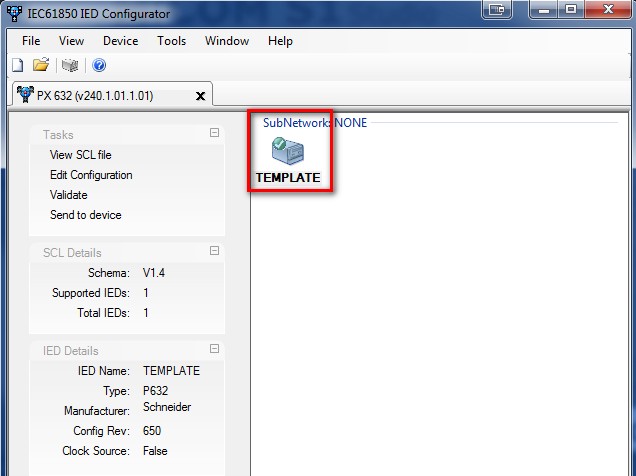
4. Open the SCD/CID/IID and then go to File--> Save.
Cannot upload a pre configured CID/IID file to a MiCOM relay.
Product Line
MiCOM Relays
Environment
IEC61850 communications
Cause
MiCOM relays expects a MCL file for IEC61850 configuration settings.
Resolution
Unfortunately, a CID/IID file cannot be uploaded directly to a MiCOM relay. The CID/IID file needs to be converted into an MCL file before the configuration settings can be uploaded to the relay.
This can be done by following the below steps:
1. Depending on the version of IEC61850 edition being used select the appropriate configurator from Tools.
2. Once the configurator is open, go to File--> Import SCL
3. Select the appropriate SCD/CID/IID file that needs to be converted.
4. Open the SCD/CID/IID and then go to File--> Save.
Publicerad för: Schneider Electric Sverige
Utforska mer
Produktfamilj
Utforska mer
Produktfamilj
Behöver du hjälp?
Produktväljare
Hitta snabbt och enkelt rätt produkter och tillbehör för dina ändamål.
Begär en offert
Ställ din fråga online så kontaktar vi dig.
Här köper du
Hitta enkelt närmaste Schneider Electric-distributör på din ort.
Hjälpcenter
Hitta alla supportresurser som du behöver på ett ställe.