


How to display special characters in a Web Visualization of EcoStruxure Machine Expert?
Special characters (e.g. Arabic, Cyrillic, ...) may not display correctly with EcoStruxure Machine Expert's default settings. In order to display them correctly, the setting 'Use unicode strings' must be activated in the visualization manager.
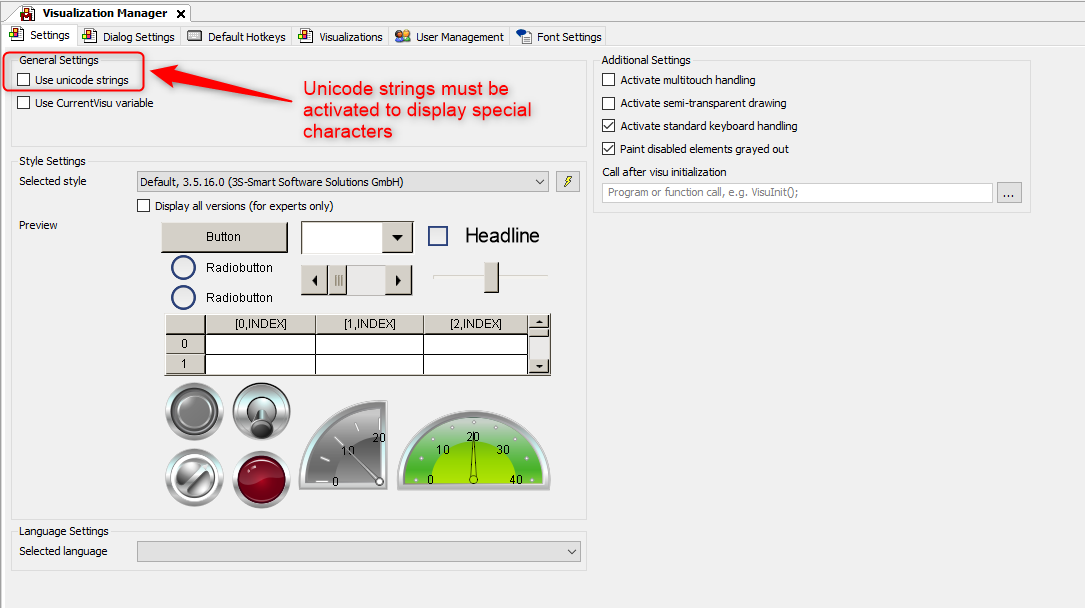
Machine Expert works with the ASCII format by default, which is why you need to activate the setting if you want to use special characters in your visualization
Machine Expert works with the ASCII format by default, which is why you need to activate the setting if you want to use special characters in your visualization